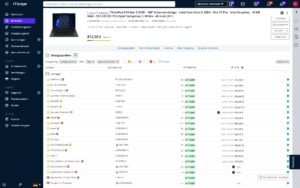
Use automatic item import and ship orders with a single click
Microsoft Dynamics 365 Business Central / Navision Interface to ITscope
Your solution for highly automated purchasing, sales, and product maintenance
- with a single click in Dynamics BC/NAV/SITE/DYCE
ITscope2Dynamics is based on over 15 years of close partnership with ITscope and many large IT resellers, which enabled MSE, exclusively for Dynamics, to deliver the most comprehensive, in-depth, and automated of all ITscope ERP integrations.
ITscope2Dynamics integrates seamlessly with Microsoft Dynamics NAV, BC, SITE & DYCE
ITscope2Dynamics
- Automatically updates articles, catalogs, prices, availability, etc. for you as an IT reseller on a daily basis by connecting your Microsoft Dynamics Business Central with approximately 400 distributors.
- Revolutionizes your purchasing by synchronizing your Dynamics BC and your distributors with highly automated processes.
ITscope2Dynamics integrates your sales in Dynamics BC with your ITscope B2B web shops, which you can set up individually and instantly for each customer. Alternatively, connections to your customers’ e‑procurement systems are also supported.
Simplified communication thanks to the interface
The interface between Microsoft Dynamics 365 Business Central / Navision and ITscope simplifies communication with over suppliers. Divided into two modules that build on each other, the interface can be used to directly access product data, prices, and availability, as well as to place orders with preferred suppliers and receive response documents with just one click.
Please note: There are separate costs for the individual modules, which must be clarified directly with the interface manufacturer.
The advantages at a glance:
- Create quotes faster and make them more attractive
- Avoid errors caused by manual transfer
- The availability of the current purchase price allows you to control your contribution margin in a targeted manner
- Up-to-date supplier stock levels improve delivery reliability
- Improvement of process quality and customer satisfaction
You can send orders with a single click and receive response documents such as order confirmations, delivery notes, and invoices.
The advantages at a glance:
- Serial numbers: Electronic response documents are available for import into inventory management, provided the distributor sends them.
- Dropshipping: Deliver to your customers as if the goods came from your warehouse—without repackaging and extra shipping.
- License orders: Information about the licensee can be easily provided when ordering licenses.
The advantages at a glance:
- Quick and easy: You can set up your own B2B shop for your end customers in less than half an hour with just a few clicks.
- Your own branding: Design your B2B shop according to your own individual ideas. You can upload your own logo for the shop and your shop can be accessed under its own domain.
- Import to Microsoft Dynamics 365 Business Central / Navision: Orders placed by your customers via the B2B shop are automatically imported into Microsoft Dynamics 365 Business Central / Navision and created there as sales orders. Missing items can be created automatically and sources of supply can be pre-assigned.
Important: The ITscope B2B shops are available in the ITscope B2B Commerce package.
Requirements for connecting Microsoft Dynamics 365 Business Central / Navision to ITscope
- Microsoft Dynamics 365 Business Central / Navision from 2015
Article creation: Requires the MSE Catalog module
Orders: The MSE purchasing module is required.
Setup takes just a few steps—our support team is happy to help!
Providers & Terms and Conditions
mse Software GmbH
Tel. + 49 2173−99300−21
kontakt@mse365.de
Features of Microsoft Dynamics 365 Business Central / Navision
Real-time price and availability checks
Display of the ITscope product database with stock levels and prices
Article search directly in the ERP
Search for articles in ITscope
Add items from ITscope to ERP with a single click
Automated article creation (large numbers) possible via a portfolio defined in ITscope
Master data can be updated in the catalog item master on a scheduled basis.
Orders with electronic document exchange from the ERP system
License orders and dropshipping are also possible.
Direct insertion of ITscope items into quotes in the ERP system
Data sheets, images, and product descriptions from ITscope can be easily transferred to the ERP system.
Orders can be transferred from the ITscope B2B shop to the ERP system on a scheduled basis.
Easy installation
Webinar MSE & ITscope

Webinar (German)
Save time with integrated ERP software
How do integrated ERP systems help you optimize workflows, minimize data errors, and ultimately save valuable time and resources? You can find out this and much more in our webinar with mse, which focuses on Microsoft Dynamics BC/NAV in conjunction with ITscope.
ITscope meets MSE: Everything at a glance
This flyer summarizes all the important information. Download it now and see the benefits at a glance.
We are happy to answer any questions you may have about Microsoft Dynamics 365 and ITscope.
Integration comparison at a glance
Discover a side-by-side comparison of partner interfaces with just one click
| Kategorie |  SAP Business One SAP Business One |  Systemhaus.One Systemhaus.One |  Odoo Odoo |  weclapp weclapp |  DYCE / SITE DYCE / SITE |  Microsoft Dynamics Microsoft Dynamics BC/NAV |  c‑entron c‑entron |  STEPS STEPS |  SelectLine SelectLine |  Sage 100 Sage 100 |  JUST.IN JUST.IN |  Concept Office Concept Office | |
|---|---|---|---|---|---|---|---|---|---|---|---|---|---|
| Product search | Product search in ERP system | ✔ | ✔ | ✔ | ✔ | ✔ | ✔ | ✔ | ✔ | ✔ | ✔ | ✔ | ✔ |
| Product search | Price comparison for existing/older offers | ✔ | ✔ | ✔* | |||||||||
| Prices/stock levels | Individual price/stock level update | ✔ | ✔ | ✔ | ✔ | ✔ | ✔ | ✔ | ✔ | ✔ | ✔ | ✔ | ✔ |
| Prices/stock levels | Bulk price/stock level update | ✔* | ✔ | ✔ | ✔ | ✔ | ✔ | ✔ | ✔ | ||||
| Product Creation | Add products from ITscope to ERP system with a click | ✔ | ✔ | ✔ | ✔ | ✔ | ✔ | ✔ | ✔ | ✔ | ✔* | ✔ | |
| Product Creation | Add products in ERP system | ✔ | ✔ | ✔ | ✔ | ✔ | ✔ | ✔ | ✔ | ✔ | ✔ | ✔ | |
| Product Creation | ITscope accessory products can be transferred directly | ✔ | ✔ | ✔ | ✔ | ✔ | |||||||
| Quote | Transfer quotes from ITscope with a click (share button) | ✔ | ✔ | ✔ | ✔ | ✔ | ✔ | ✔* | |||||
| Quote | Create quotes in ERP system containing ITscope products | ✔ | ✔ | ✔ | ✔ | ✔ | ✔ | ✔ | ✔ | ✔ | ✔ | ✔ | ✔ |
| Orders | Transfer orders from ITscope to ERP system | ✔ | ✔ | ✔ | ✔ | ✔ | ✔* | ||||||
| Orders | Place orders from the ERP and transmit them via EDI | ✔ | ✔ | ✔ | ✔ | ✔ | ✔ | ✔ | ✔ | ✔ | ✔ | ✔ | |
| Orders | Automatic document transfer (response documents) | ✔ | ✔ | ✔ | ✔ | ✔ | ✔ | ✔ | ✔ | ✔ | ✔ | ✔ | |
| Orders | Order confirmation | ✔ | ✔ | ✔ | ✔ | ✔ | ✔ | ✔ | ✔ | ✔ | ✔ | ✔ | |
| Orders | Delivery note details (serial number) | ✔ | ✔ | ✔ | ✔ | ✔ | ✔ | ✔ | ✔ | ✔ | ✔ | ✔ | |
| Orders | Dispatch confirmation (tracking information) | ✔ | ✔ | ✔ | ✔ | ✔ | ✔ | ✔ | ✔ | ✔ | ✔ | ||
| Orders | Proforma invoice | ✔ | ✔ | ✔ | ✔ | ✔ | ✔ | ✔ | |||||
| Orders | Orders of licence products | ✔ | ✔ | ✔ | ✔ | ✔ | ✔ | ✔ | |||||
| Orders | Own delivery note | ✔ | ✔ | ✔ | ✔ | ✔ | ✔ | ✔ | ✔* | ||||
| Orders | Project orders, special prices | ✔ | ✔ | ✔ | ✔ | ✔ | ✔ | ✔* | ✔ | ✔ | |||
| B2B Shop | Import orders from B2B shop into ERP system | ✔ | ✔ | ✔ | ✔ | ✔ | ✔ | ✔ | |||||
| B2B Shop | Automatic exchange of documents from ERP system into the B2B shop | ✔ | ✔ | ||||||||||
| B2B Shop | Synchronisation of order status from ERP system into ITscope | ✔ | ✔ | ✔ | ✔ | ||||||||
| Datasheets/content | Datasheet as a URL | ✔ | ✔ | ✔ | ✔ | ✔ | ✔ | ✔ | ✔ | ✔ | ✔ | ✔ | |
| Datasheets/content | Long text transfer | ✔ | ✔ | ✔ | ✔ | ✔ | ✔ | ✔ | ✔ | ✔ | |||
| Datasheets/content | Short text transfer | ✔ | ✔ | ✔ | ✔ | ✔ | ✔ | ✔ | ✔ | ✔ | ✔ | ||
| Datasheets/content | Determination of the article standard appearance | ✔ | ✔ | ✔ | ✔ | ✔ | ✔* | ||||||
| Master data update | Master data of each product can be updated with a click | ✔ | ✔ | ✔ | ✔ | ✔ | ✔ | ✔ | ✔ | ✔ | ✔ | ✔ | ✔ |
| Master data update | Master data can be updated via scheduled imports | ✔* | ✔ | ✔ | ✔ | ✔ | ✔* | ✔ | ✔ | ||||
| Master data mapping | Mapping/transfer of manufacturers | ✔ | ✔ | ✔* | ✔ | ✔ | ✔ | ✔ | ✔ | ✔ | ✔ | ||
| Master data mapping | Mapping/transfer of suppliers | ✔ | ✔ | ✔* | ✔ | ✔ | ✔ | ✔ | ✔ | ✔ | ✔ | ||
| Master data mapping | Mapping of categories | ✔ | ✔ | ✔* | ✔ | ✔ | ✔ | ✔ | ✔ | ✔ | ✔ |
| Kategorie | SAP Business One | Systemhaus.One | Odoo | weclapp | DYCE / SITE | Microsoft Dynamics BC/NAV | c‑entron | STEPS | SelectLine | Sage 100 | JUST.IN | Concept Office | |
|---|---|---|---|---|---|---|---|---|---|---|---|---|---|
| Product search | Product search in ERP system | ✔ | ✔ | ✔ | ✔ | ✔ | ✔ | ✔ | ✔ | ✔ | ✔ | ✔ | ✔ |
| Product search | Price comparison for existing/older offers | ✔ | ✔ | ✔* | |||||||||
| Prices/stock levels | Individual price/stock level update | ✔ | ✔ | ✔ | ✔ | ✔ | ✔ | ✔ | ✔ | ✔ | ✔ | ✔ | ✔ |
| Prices/stock levels | Bulk price/stock level update | ✔* | ✔ | ✔ | ✔ | ✔ | ✔ | ✔ | ✔ | ||||
| Product Creation | Add products from ITscope to ERP system with a click | ✔ | ✔ | ✔ | ✔ | ✔ | ✔ | ✔ | ✔ | ✔ | ✔* | ✔ | |
| Product Creation | Add products in ERP system | ✔ | ✔ | ✔ | ✔ | ✔ | ✔ | ✔ | ✔ | ✔ | ✔ | ✔ | |
| Product Creation | ITscope accessory products can be transferred directly | ✔ | ✔ | ✔ | ✔ | ✔ | |||||||
| Quote | Transfer quotes from ITscope with a click (share button) | ✔ | ✔ | ✔ | ✔ | ✔ | ✔ | ✔* | |||||
| Quote | Create quotes in ERP system containing ITscope products | ✔ | ✔ | ✔ | ✔ | ✔ | ✔ | ✔ | ✔ | ✔ | ✔ | ✔ | ✔ |
| Orders | Transfer orders from ITscope to ERP system | ✔ | ✔ | ✔ | ✔ | ✔ | ✔* | ||||||
| Orders | Place orders from the ERP and transmit them via EDI | ✔ | ✔ | ✔ | ✔ | ✔ | ✔ | ✔ | ✔ | ✔ | ✔ | ✔ | |
| Orders | Automatic document transfer (response documents) | ✔ | ✔ | ✔ | ✔ | ✔ | ✔ | ✔ | ✔ | ✔ | ✔ | ✔ | |
| Orders | Order confirmation | ✔ | ✔ | ✔ | ✔ | ✔ | ✔ | ✔ | ✔ | ✔ | ✔ | ✔ | |
| Orders | Delivery note details (serial number) | ✔ | ✔ | ✔ | ✔ | ✔ | ✔ | ✔ | ✔ | ✔ | ✔ | ✔ | |
| Orders | Dispatch confirmation (tracking information) | ✔ | ✔ | ✔ | ✔ | ✔ | ✔ | ✔ | ✔ | ✔ | ✔ | ||
| Orders | Proforma invoice | ✔ | ✔ | ✔ | ✔ | ✔ | ✔ | ✔ | |||||
| Orders | Orders of licence products | ✔ | ✔ | ✔ | ✔ | ✔ | ✔ | ✔ | |||||
| Orders | Own delivery note | ✔ | ✔ | ✔ | ✔ | ✔ | ✔ | ✔ | ✔* | ||||
| Orders | Project orders, special prices | ✔ | ✔ | ✔ | ✔ | ✔ | ✔ | ✔* | ✔ | ✔ | |||
| B2B Shop | Import orders from B2B shop into ERP system | ✔ | ✔ | ✔ | ✔ | ✔ | ✔ | ✔ | |||||
| B2B Shop | Automatic exchange of documents from ERP system into the B2B shop | ✔ | ✔ | ||||||||||
| B2B Shop | Synchronisation of order status from ERP system into ITscope | ✔ | ✔ | ✔ | ✔ | ||||||||
| Datasheets/content | Datasheet as a URL | ✔ | ✔ | ✔ | ✔ | ✔ | ✔ | ✔ | ✔ | ✔ | ✔ | ✔ | |
| Datasheets/content | Long text transfer | ✔ | ✔ | ✔ | ✔ | ✔ | ✔ | ✔ | ✔ | ✔ | |||
| Datasheets/content | Short text transfer | ✔ | ✔ | ✔ | ✔ | ✔ | ✔ | ✔ | ✔ | ✔ | ✔ | ||
| Datasheets/content | Determination of the article standard appearance | ✔ | ✔ | ✔ | ✔ | ✔ | ✔* | ||||||
| Master data update | Master data of each product can be updated with a click | ✔ | ✔ | ✔ | ✔ | ✔ | ✔ | ✔ | ✔ | ✔ | ✔ | ✔ | ✔ |
| Master data update | Master data can be updated via scheduled imports | ✔* | ✔ | ✔ | ✔ | ✔ | ✔* | ✔ | ✔ | ||||
| Master data mapping | Mapping/transfer of manufacturers | ✔ | ✔ | ✔* | ✔ | ✔ | ✔ | ✔ | ✔ | ✔ | ✔ | ||
| Master data mapping | Mapping/transfer of suppliers | ✔ | ✔ | ✔* | ✔ | ✔ | ✔ | ✔ | ✔ | ✔ | ✔ | ||
| Master data mapping | Mapping of categories | ✔ | ✔ | ✔* | ✔ | ✔ | ✔ | ✔ | ✔ | ✔ | ✔ |
| Kategorie | SAP Business One | Systemhaus.One | Odoo | weclapp | DYCE / SITE | Microsoft Dynamics BC/NAV | c‑entron | STEPS | SelectLine | Sage 100 | JUST.IN | Concept Office | |
|---|---|---|---|---|---|---|---|---|---|---|---|---|---|
| Product search | Product search in ERP system | ✔ | ✔ | ✔ | ✔ | ✔ | ✔ | ✔ | ✔ | ✔ | ✔ | ✔ | ✔ |
| Product search | Price comparison for existing/older offers | ✔ | ✔ | ✔* | |||||||||
| Prices/stock levels | Individual price/stock level update | ✔ | ✔ | ✔ | ✔ | ✔ | ✔ | ✔ | ✔ | ✔ | ✔ | ✔ | ✔ |
| Prices/stock levels | Bulk price/stock level update | ✔* | ✔ | ✔ | ✔ | ✔ | ✔ | ✔ | ✔ | ||||
| Product Creation | Add products from ITscope to ERP system with a click | ✔ | ✔ | ✔ | ✔ | ✔ | ✔ | ✔ | ✔ | ✔ | ✔* | ✔ | |
| Product Creation | Add products in ERP system | ✔ | ✔ | ✔ | ✔ | ✔ | ✔ | ✔ | ✔ | ✔ | ✔ | ✔ | |
| Product Creation | ITscope accessory products can be transferred directly | ✔ | ✔ | ✔ | ✔ | ✔ | |||||||
| Quote | Transfer quotes from ITscope with a click (share button) | ✔ | ✔ | ✔ | ✔ | ✔ | ✔ | ✔* | |||||
| Quote | Create quotes in ERP system containing ITscope products | ✔ | ✔ | ✔ | ✔ | ✔ | ✔ | ✔ | ✔ | ✔ | ✔ | ✔ | ✔ |
| Orders | Transfer orders from ITscope to ERP system | ✔ | ✔ | ✔ | ✔ | ✔ | ✔* | ||||||
| Orders | Place orders from the ERP and transmit them via EDI | ✔ | ✔ | ✔ | ✔ | ✔ | ✔ | ✔ | ✔ | ✔ | ✔ | ✔ | |
| Orders | Automatic document transfer (response documents) | ✔ | ✔ | ✔ | ✔ | ✔ | ✔ | ✔ | ✔ | ✔ | ✔ | ✔ | |
| Orders | Order confirmation | ✔ | ✔ | ✔ | ✔ | ✔ | ✔ | ✔ | ✔ | ✔ | ✔ | ✔ | |
| Orders | Delivery note details (serial number) | ✔ | ✔ | ✔ | ✔ | ✔ | ✔ | ✔ | ✔ | ✔ | ✔ | ✔ | |
| Orders | Dispatch confirmation (tracking information) | ✔ | ✔ | ✔ | ✔ | ✔ | ✔ | ✔ | ✔ | ✔ | ✔ | ||
| Orders | Proforma invoice | ✔ | ✔ | ✔ | ✔ | ✔ | ✔ | ✔ | |||||
| Orders | Orders of licence products | ✔ | ✔ | ✔ | ✔ | ✔ | ✔ | ✔ | |||||
| Orders | Own delivery note | ✔ | ✔ | ✔ | ✔ | ✔ | ✔ | ✔ | ✔* | ||||
| Orders | Project orders, special prices | ✔ | ✔ | ✔ | ✔ | ✔ | ✔ | ✔* | ✔ | ✔ | |||
| B2B Shop | Import orders from B2B shop into ERP system | ✔ | ✔ | ✔ | ✔ | ✔ | ✔ | ✔ | |||||
| B2B Shop | Automatic exchange of documents from ERP system into the B2B shop | ✔ | ✔ | ||||||||||
| B2B Shop | Synchronisation of order status from ERP system into ITscope | ✔ | ✔ | ✔ | ✔ | ||||||||
| Datasheets/content | Datasheet as a URL | ✔ | ✔ | ✔ | ✔ | ✔ | ✔ | ✔ | ✔ | ✔ | ✔ | ✔ | |
| Datasheets/content | Long text transfer | ✔ | ✔ | ✔ | ✔ | ✔ | ✔ | ✔ | ✔ | ✔ | |||
| Datasheets/content | Short text transfer | ✔ | ✔ | ✔ | ✔ | ✔ | ✔ | ✔ | ✔ | ✔ | ✔ | ||
| Datasheets/content | Determination of the article standard appearance | ✔ | ✔ | ✔ | ✔ | ✔ | ✔* | ||||||
| Master data update | Master data of each product can be updated with a click | ✔ | ✔ | ✔ | ✔ | ✔ | ✔ | ✔ | ✔ | ✔ | ✔ | ✔ | ✔ |
| Master data update | Master data can be updated via scheduled imports | ✔* | ✔ | ✔ | ✔ | ✔ | ✔* | ✔ | ✔ | ||||
| Master data mapping | Mapping/transfer of manufacturers | ✔ | ✔ | ✔* | ✔ | ✔ | ✔ | ✔ | ✔ | ✔ | ✔ | ||
| Master data mapping | Mapping/transfer of suppliers | ✔ | ✔ | ✔* | ✔ | ✔ | ✔ | ✔ | ✔ | ✔ | ✔ | ||
| Master data mapping | Mapping of categories | ✔ | ✔ | ✔* | ✔ | ✔ | ✔ | ✔ | ✔ | ✔ | ✔ |
| Kategorie | SAP Business One | Systemhaus.One | Odoo | weclapp | DYCE / SITE | Microsoft Dynamics BC/NAV | c‑entron | STEPS | SelectLine | Sage 100 | JUST.IN | Concept Office | |
|---|---|---|---|---|---|---|---|---|---|---|---|---|---|
| Product search | Product search in ERP system | ✔ | ✔ | ✔ | ✔ | ✔ | ✔ | ✔ | ✔ | ✔ | ✔ | ✔ | ✔ |
| Product search | Price comparison for existing/older offers | ✔ | ✔ | ✔* | |||||||||
| Prices/stock levels | Individual price/stock level update | ✔ | ✔ | ✔ | ✔ | ✔ | ✔ | ✔ | ✔ | ✔ | ✔ | ✔ | ✔ |
| Prices/stock levels | Bulk price/stock level update | ✔* | ✔ | ✔ | ✔ | ✔ | ✔ | ✔ | ✔ | ||||
| Product Creation | Add products from ITscope to ERP system with a click | ✔ | ✔ | ✔ | ✔ | ✔ | ✔ | ✔ | ✔ | ✔ | ✔* | ✔ | |
| Product Creation | Add products in ERP system | ✔ | ✔ | ✔ | ✔ | ✔ | ✔ | ✔ | ✔ | ✔ | ✔ | ✔ | |
| Product Creation | ITscope accessory products can be transferred directly | ✔ | ✔ | ✔ | ✔ | ✔ | |||||||
| Quote | Transfer quotes from ITscope with a click (share button) | ✔ | ✔ | ✔ | ✔ | ✔ | ✔ | ✔* | |||||
| Quote | Create quotes in ERP system containing ITscope products | ✔ | ✔ | ✔ | ✔ | ✔ | ✔ | ✔ | ✔ | ✔ | ✔ | ✔ | ✔ |
| Orders | Transfer orders from ITscope to ERP system | ✔ | ✔ | ✔ | ✔ | ✔ | ✔* | ||||||
| Orders | Place orders from the ERP and transmit them via EDI | ✔ | ✔ | ✔ | ✔ | ✔ | ✔ | ✔ | ✔ | ✔ | ✔ | ✔ | |
| Orders | Automatic document transfer (response documents) | ✔ | ✔ | ✔ | ✔ | ✔ | ✔ | ✔ | ✔ | ✔ | ✔ | ✔ | |
| Orders | Order confirmation | ✔ | ✔ | ✔ | ✔ | ✔ | ✔ | ✔ | ✔ | ✔ | ✔ | ✔ | |
| Orders | Delivery note details (serial number) | ✔ | ✔ | ✔ | ✔ | ✔ | ✔ | ✔ | ✔ | ✔ | ✔ | ✔ | |
| Orders | Dispatch confirmation (tracking information) | ✔ | ✔ | ✔ | ✔ | ✔ | ✔ | ✔ | ✔ | ✔ | ✔ | ||
| Orders | Proforma invoice | ✔ | ✔ | ✔ | ✔ | ✔ | ✔ | ✔ | |||||
| Orders | Orders of licence products | ✔ | ✔ | ✔ | ✔ | ✔ | ✔ | ✔ | |||||
| Orders | Own delivery note | ✔ | ✔ | ✔ | ✔ | ✔ | ✔ | ✔ | ✔* | ||||
| Orders | Project orders, special prices | ✔ | ✔ | ✔ | ✔ | ✔ | ✔ | ✔* | ✔ | ✔ | |||
| B2B Shop | Import orders from B2B shop into ERP system | ✔ | ✔ | ✔ | ✔ | ✔ | ✔ | ✔ | |||||
| B2B Shop | Automatic exchange of documents from ERP system into the B2B shop | ✔ | ✔ | ||||||||||
| B2B Shop | Synchronisation of order status from ERP system into ITscope | ✔ | ✔ | ✔ | ✔ | ||||||||
| Datasheets/content | Datasheet as a URL | ✔ | ✔ | ✔ | ✔ | ✔ | ✔ | ✔ | ✔ | ✔ | ✔ | ✔ | |
| Datasheets/content | Long text transfer | ✔ | ✔ | ✔ | ✔ | ✔ | ✔ | ✔ | ✔ | ✔ | |||
| Datasheets/content | Short text transfer | ✔ | ✔ | ✔ | ✔ | ✔ | ✔ | ✔ | ✔ | ✔ | ✔ | ||
| Datasheets/content | Determination of the article standard appearance | ✔ | ✔ | ✔ | ✔ | ✔ | ✔* | ||||||
| Master data update | Master data of each product can be updated with a click | ✔ | ✔ | ✔ | ✔ | ✔ | ✔ | ✔ | ✔ | ✔ | ✔ | ✔ | ✔ |
| Master data update | Master data can be updated via scheduled imports | ✔* | ✔ | ✔ | ✔ | ✔ | ✔* | ✔ | ✔ | ||||
| Master data mapping | Mapping/transfer of manufacturers | ✔ | ✔ | ✔* | ✔ | ✔ | ✔ | ✔ | ✔ | ✔ | ✔ | ||
| Master data mapping | Mapping/transfer of suppliers | ✔ | ✔ | ✔* | ✔ | ✔ | ✔ | ✔ | ✔ | ✔ | ✔ | ||
| Master data mapping | Mapping of categories | ✔ | ✔ | ✔* | ✔ | ✔ | ✔ | ✔ | ✔ | ✔ | ✔ |
| Kategorie | SAP Business One | Systemhaus.One | Odoo | weclapp | DYCE / SITE | Microsoft Dynamics BC/NAV | c‑entron | STEPS | SelectLine | Sage 100 | JUST.IN | Concept Office | |
|---|---|---|---|---|---|---|---|---|---|---|---|---|---|
| Product search | Product search in ERP system | ✔ | ✔ | ✔ | ✔ | ✔ | ✔ | ✔ | ✔ | ✔ | ✔ | ✔ | ✔ |
| Product search | Price comparison for existing/older offers | ✔ | ✔ | ✔* | |||||||||
| Prices/stock levels | Individual price/stock level update | ✔ | ✔ | ✔ | ✔ | ✔ | ✔ | ✔ | ✔ | ✔ | ✔ | ✔ | ✔ |
| Prices/stock levels | Bulk price/stock level update | ✔* | ✔ | ✔ | ✔ | ✔ | ✔ | ✔ | ✔ | ||||
| Product Creation | Add products from ITscope to ERP system with a click | ✔ | ✔ | ✔ | ✔ | ✔ | ✔ | ✔ | ✔ | ✔ | ✔* | ✔ | |
| Product Creation | Add products in ERP system | ✔ | ✔ | ✔ | ✔ | ✔ | ✔ | ✔ | ✔ | ✔ | ✔ | ✔ | |
| Product Creation | ITscope accessory products can be transferred directly | ✔ | ✔ | ✔ | ✔ | ✔ | |||||||
| Quote | Transfer quotes from ITscope with a click (share button) | ✔ | ✔ | ✔ | ✔ | ✔ | ✔ | ✔* | |||||
| Quote | Create quotes in ERP system containing ITscope products | ✔ | ✔ | ✔ | ✔ | ✔ | ✔ | ✔ | ✔ | ✔ | ✔ | ✔ | ✔ |
| Orders | Transfer orders from ITscope to ERP system | ✔ | ✔ | ✔ | ✔ | ✔ | ✔* | ||||||
| Orders | Place orders from the ERP and transmit them via EDI | ✔ | ✔ | ✔ | ✔ | ✔ | ✔ | ✔ | ✔ | ✔ | ✔ | ✔ | |
| Orders | Automatic document transfer (response documents) | ✔ | ✔ | ✔ | ✔ | ✔ | ✔ | ✔ | ✔ | ✔ | ✔ | ✔ | |
| Orders | Order confirmation | ✔ | ✔ | ✔ | ✔ | ✔ | ✔ | ✔ | ✔ | ✔ | ✔ | ✔ | |
| Orders | Delivery note details (serial number) | ✔ | ✔ | ✔ | ✔ | ✔ | ✔ | ✔ | ✔ | ✔ | ✔ | ✔ | |
| Orders | Dispatch confirmation (tracking information) | ✔ | ✔ | ✔ | ✔ | ✔ | ✔ | ✔ | ✔ | ✔ | ✔ | ||
| Orders | Proforma invoice | ✔ | ✔ | ✔ | ✔ | ✔ | ✔ | ✔ | |||||
| Orders | Orders of licence products | ✔ | ✔ | ✔ | ✔ | ✔ | ✔ | ✔ | |||||
| Orders | Own delivery note | ✔ | ✔ | ✔ | ✔ | ✔ | ✔ | ✔ | ✔* | ||||
| Orders | Project orders, special prices | ✔ | ✔ | ✔ | ✔ | ✔ | ✔ | ✔* | ✔ | ✔ | |||
| B2B Shop | Import orders from B2B shop into ERP system | ✔ | ✔ | ✔ | ✔ | ✔ | ✔ | ✔ | |||||
| B2B Shop | Automatic exchange of documents from ERP system into the B2B shop | ✔ | ✔ | ||||||||||
| B2B Shop | Synchronisation of order status from ERP system into ITscope | ✔ | ✔ | ✔ | ✔ | ||||||||
| Datasheets/content | Datasheet as a URL | ✔ | ✔ | ✔ | ✔ | ✔ | ✔ | ✔ | ✔ | ✔ | ✔ | ✔ | |
| Datasheets/content | Long text transfer | ✔ | ✔ | ✔ | ✔ | ✔ | ✔ | ✔ | ✔ | ✔ | |||
| Datasheets/content | Short text transfer | ✔ | ✔ | ✔ | ✔ | ✔ | ✔ | ✔ | ✔ | ✔ | ✔ | ||
| Datasheets/content | Determination of the article standard appearance | ✔ | ✔ | ✔ | ✔ | ✔ | ✔* | ||||||
| Master data update | Master data of each product can be updated with a click | ✔ | ✔ | ✔ | ✔ | ✔ | ✔ | ✔ | ✔ | ✔ | ✔ | ✔ | ✔ |
| Master data update | Master data can be updated via scheduled imports | ✔* | ✔ | ✔ | ✔ | ✔ | ✔* | ✔ | ✔ | ||||
| Master data mapping | Mapping/transfer of manufacturers | ✔ | ✔ | ✔* | ✔ | ✔ | ✔ | ✔ | ✔ | ✔ | ✔ | ||
| Master data mapping | Mapping/transfer of suppliers | ✔ | ✔ | ✔* | ✔ | ✔ | ✔ | ✔ | ✔ | ✔ | ✔ | ||
| Master data mapping | Mapping of categories | ✔ | ✔ | ✔* | ✔ | ✔ | ✔ | ✔ | ✔ | ✔ | ✔ |
| Kategorie | SAP Business One | Systemhaus.One | Odoo | weclapp | DYCE / SITE | Microsoft Dynamics BC/NAV | c‑entron | STEPS | SelectLine | Sage 100 | JUST.IN | Concept Office | |
|---|---|---|---|---|---|---|---|---|---|---|---|---|---|
| Product search | Product search in ERP system | ✔ | ✔ | ✔ | ✔ | ✔ | ✔ | ✔ | ✔ | ✔ | ✔ | ✔ | ✔ |
| Product search | Price comparison for existing/older offers | ✔ | ✔ | ✔* | |||||||||
| Prices/stock levels | Individual price/stock level update | ✔ | ✔ | ✔ | ✔ | ✔ | ✔ | ✔ | ✔ | ✔ | ✔ | ✔ | ✔ |
| Prices/stock levels | Bulk price/stock level update | ✔* | ✔ | ✔ | ✔ | ✔ | ✔ | ✔ | ✔ | ||||
| Product Creation | Add products from ITscope to ERP system with a click | ✔ | ✔ | ✔ | ✔ | ✔ | ✔ | ✔ | ✔ | ✔ | ✔* | ✔ | |
| Product Creation | Add products in ERP system | ✔ | ✔ | ✔ | ✔ | ✔ | ✔ | ✔ | ✔ | ✔ | ✔ | ✔ | |
| Product Creation | ITscope accessory products can be transferred directly | ✔ | ✔ | ✔ | ✔ | ✔ | |||||||
| Quote | Transfer quotes from ITscope with a click (share button) | ✔ | ✔ | ✔ | ✔ | ✔ | ✔ | ✔* | |||||
| Quote | Create quotes in ERP system containing ITscope products | ✔ | ✔ | ✔ | ✔ | ✔ | ✔ | ✔ | ✔ | ✔ | ✔ | ✔ | ✔ |
| Orders | Transfer orders from ITscope to ERP system | ✔ | ✔ | ✔ | ✔ | ✔ | ✔* | ||||||
| Orders | Place orders from the ERP and transmit them via EDI | ✔ | ✔ | ✔ | ✔ | ✔ | ✔ | ✔ | ✔ | ✔ | ✔ | ✔ | |
| Orders | Automatic document transfer (response documents) | ✔ | ✔ | ✔ | ✔ | ✔ | ✔ | ✔ | ✔ | ✔ | ✔ | ✔ | |
| Orders | Order confirmation | ✔ | ✔ | ✔ | ✔ | ✔ | ✔ | ✔ | ✔ | ✔ | ✔ | ✔ | |
| Orders | Delivery note details (serial number) | ✔ | ✔ | ✔ | ✔ | ✔ | ✔ | ✔ | ✔ | ✔ | ✔ | ✔ | |
| Orders | Dispatch confirmation (tracking information) | ✔ | ✔ | ✔ | ✔ | ✔ | ✔ | ✔ | ✔ | ✔ | ✔ | ||
| Orders | Proforma invoice | ✔ | ✔ | ✔ | ✔ | ✔ | ✔ | ✔ | |||||
| Orders | Orders of licence products | ✔ | ✔ | ✔ | ✔ | ✔ | ✔ | ✔ | |||||
| Orders | Own delivery note | ✔ | ✔ | ✔ | ✔ | ✔ | ✔ | ✔ | ✔* | ||||
| Orders | Project orders, special prices | ✔ | ✔ | ✔ | ✔ | ✔ | ✔ | ✔* | ✔ | ✔ | |||
| B2B Shop | Import orders from B2B shop into ERP system | ✔ | ✔ | ✔ | ✔ | ✔ | ✔ | ✔ | |||||
| B2B Shop | Automatic exchange of documents from ERP system into the B2B shop | ✔ | ✔ | ||||||||||
| B2B Shop | Synchronisation of order status from ERP system into ITscope | ✔ | ✔ | ✔ | ✔ | ||||||||
| Datasheets/content | Datasheet as a URL | ✔ | ✔ | ✔ | ✔ | ✔ | ✔ | ✔ | ✔ | ✔ | ✔ | ✔ | |
| Datasheets/content | Long text transfer | ✔ | ✔ | ✔ | ✔ | ✔ | ✔ | ✔ | ✔ | ✔ | |||
| Datasheets/content | Short text transfer | ✔ | ✔ | ✔ | ✔ | ✔ | ✔ | ✔ | ✔ | ✔ | ✔ | ||
| Datasheets/content | Determination of the article standard appearance | ✔ | ✔ | ✔ | ✔ | ✔ | ✔* | ||||||
| Master data update | Master data of each product can be updated with a click | ✔ | ✔ | ✔ | ✔ | ✔ | ✔ | ✔ | ✔ | ✔ | ✔ | ✔ | ✔ |
| Master data update | Master data can be updated via scheduled imports | ✔* | ✔ | ✔ | ✔ | ✔ | ✔* | ✔ | ✔ | ||||
| Master data mapping | Mapping/transfer of manufacturers | ✔ | ✔ | ✔* | ✔ | ✔ | ✔ | ✔ | ✔ | ✔ | ✔ | ||
| Master data mapping | Mapping/transfer of suppliers | ✔ | ✔ | ✔* | ✔ | ✔ | ✔ | ✔ | ✔ | ✔ | ✔ | ||
| Master data mapping | Mapping of categories | ✔ | ✔ | ✔* | ✔ | ✔ | ✔ | ✔ | ✔ | ✔ | ✔ |
| Kategorie | SAP Business One | Systemhaus.One | Odoo | weclapp | DYCE / SITE | Microsoft Dynamics BC/NAV | c‑entron | STEPS | SelectLine | Sage 100 | JUST.IN | Concept Office | |
|---|---|---|---|---|---|---|---|---|---|---|---|---|---|
| Product search | Product search in ERP system | ✔ | ✔ | ✔ | ✔ | ✔ | ✔ | ✔ | ✔ | ✔ | ✔ | ✔ | ✔ |
| Product search | Price comparison for existing/older offers | ✔ | ✔ | ✔* | |||||||||
| Prices/stock levels | Individual price/stock level update | ✔ | ✔ | ✔ | ✔ | ✔ | ✔ | ✔ | ✔ | ✔ | ✔ | ✔ | ✔ |
| Prices/stock levels | Bulk price/stock level update | ✔* | ✔ | ✔ | ✔ | ✔ | ✔ | ✔ | ✔ | ||||
| Product Creation | Add products from ITscope to ERP system with a click | ✔ | ✔ | ✔ | ✔ | ✔ | ✔ | ✔ | ✔ | ✔ | ✔* | ✔ | |
| Product Creation | Add products in ERP system | ✔ | ✔ | ✔ | ✔ | ✔ | ✔ | ✔ | ✔ | ✔ | ✔ | ✔ | |
| Product Creation | ITscope accessory products can be transferred directly | ✔ | ✔ | ✔ | ✔ | ✔ | |||||||
| Quote | Transfer quotes from ITscope with a click (share button) | ✔ | ✔ | ✔ | ✔ | ✔ | ✔ | ✔* | |||||
| Quote | Create quotes in ERP system containing ITscope products | ✔ | ✔ | ✔ | ✔ | ✔ | ✔ | ✔ | ✔ | ✔ | ✔ | ✔ | ✔ |
| Orders | Transfer orders from ITscope to ERP system | ✔ | ✔ | ✔ | ✔ | ✔ | ✔* | ||||||
| Orders | Place orders from the ERP and transmit them via EDI | ✔ | ✔ | ✔ | ✔ | ✔ | ✔ | ✔ | ✔ | ✔ | ✔ | ✔ | |
| Orders | Automatic document transfer (response documents) | ✔ | ✔ | ✔ | ✔ | ✔ | ✔ | ✔ | ✔ | ✔ | ✔ | ✔ | |
| Orders | Order confirmation | ✔ | ✔ | ✔ | ✔ | ✔ | ✔ | ✔ | ✔ | ✔ | ✔ | ✔ | |
| Orders | Delivery note details (serial number) | ✔ | ✔ | ✔ | ✔ | ✔ | ✔ | ✔ | ✔ | ✔ | ✔ | ✔ | |
| Orders | Dispatch confirmation (tracking information) | ✔ | ✔ | ✔ | ✔ | ✔ | ✔ | ✔ | ✔ | ✔ | ✔ | ||
| Orders | Proforma invoice | ✔ | ✔ | ✔ | ✔ | ✔ | ✔ | ✔ | |||||
| Orders | Orders of licence products | ✔ | ✔ | ✔ | ✔ | ✔ | ✔ | ✔ | |||||
| Orders | Own delivery note | ✔ | ✔ | ✔ | ✔ | ✔ | ✔ | ✔ | ✔* | ||||
| Orders | Project orders, special prices | ✔ | ✔ | ✔ | ✔ | ✔ | ✔ | ✔* | ✔ | ✔ | |||
| B2B Shop | Import orders from B2B shop into ERP system | ✔ | ✔ | ✔ | ✔ | ✔ | ✔ | ✔ | |||||
| B2B Shop | Automatic exchange of documents from ERP system into the B2B shop | ✔ | ✔ | ||||||||||
| B2B Shop | Synchronisation of order status from ERP system into ITscope | ✔ | ✔ | ✔ | ✔ | ||||||||
| Datasheets/content | Datasheet as a URL | ✔ | ✔ | ✔ | ✔ | ✔ | ✔ | ✔ | ✔ | ✔ | ✔ | ✔ | |
| Datasheets/content | Long text transfer | ✔ | ✔ | ✔ | ✔ | ✔ | ✔ | ✔ | ✔ | ✔ | |||
| Datasheets/content | Short text transfer | ✔ | ✔ | ✔ | ✔ | ✔ | ✔ | ✔ | ✔ | ✔ | ✔ | ||
| Datasheets/content | Determination of the article standard appearance | ✔ | ✔ | ✔ | ✔ | ✔ | ✔* | ||||||
| Master data update | Master data of each product can be updated with a click | ✔ | ✔ | ✔ | ✔ | ✔ | ✔ | ✔ | ✔ | ✔ | ✔ | ✔ | ✔ |
| Master data update | Master data can be updated via scheduled imports | ✔* | ✔ | ✔ | ✔ | ✔ | ✔* | ✔ | ✔ | ||||
| Master data mapping | Mapping/transfer of manufacturers | ✔ | ✔ | ✔* | ✔ | ✔ | ✔ | ✔ | ✔ | ✔ | ✔ | ||
| Master data mapping | Mapping/transfer of suppliers | ✔ | ✔ | ✔* | ✔ | ✔ | ✔ | ✔ | ✔ | ✔ | ✔ | ||
| Master data mapping | Mapping of categories | ✔ | ✔ | ✔* | ✔ | ✔ | ✔ | ✔ | ✔ | ✔ | ✔ |
| Kategorie | SAP Business One | Systemhaus.One | Odoo | weclapp | DYCE / SITE | Microsoft Dynamics BC/NAV | c‑entron | STEPS | SelectLine | Sage 100 | JUST.IN | Concept Office | |
|---|---|---|---|---|---|---|---|---|---|---|---|---|---|
| Product search | Product search in ERP system | ✔ | ✔ | ✔ | ✔ | ✔ | ✔ | ✔ | ✔ | ✔ | ✔ | ✔ | ✔ |
| Product search | Price comparison for existing/older offers | ✔ | ✔ | ✔* | |||||||||
| Prices/stock levels | Individual price/stock level update | ✔ | ✔ | ✔ | ✔ | ✔ | ✔ | ✔ | ✔ | ✔ | ✔ | ✔ | ✔ |
| Prices/stock levels | Bulk price/stock level update | ✔* | ✔ | ✔ | ✔ | ✔ | ✔ | ✔ | ✔ | ||||
| Product Creation | Add products from ITscope to ERP system with a click | ✔ | ✔ | ✔ | ✔ | ✔ | ✔ | ✔ | ✔ | ✔ | ✔* | ✔ | |
| Product Creation | Add products in ERP system | ✔ | ✔ | ✔ | ✔ | ✔ | ✔ | ✔ | ✔ | ✔ | ✔ | ✔ | |
| Product Creation | ITscope accessory products can be transferred directly | ✔ | ✔ | ✔ | ✔ | ✔ | |||||||
| Quote | Transfer quotes from ITscope with a click (share button) | ✔ | ✔ | ✔ | ✔ | ✔ | ✔ | ✔* | |||||
| Quote | Create quotes in ERP system containing ITscope products | ✔ | ✔ | ✔ | ✔ | ✔ | ✔ | ✔ | ✔ | ✔ | ✔ | ✔ | ✔ |
| Orders | Transfer orders from ITscope to ERP system | ✔ | ✔ | ✔ | ✔ | ✔ | ✔* | ||||||
| Orders | Place orders from the ERP and transmit them via EDI | ✔ | ✔ | ✔ | ✔ | ✔ | ✔ | ✔ | ✔ | ✔ | ✔ | ✔ | |
| Orders | Automatic document transfer (response documents) | ✔ | ✔ | ✔ | ✔ | ✔ | ✔ | ✔ | ✔ | ✔ | ✔ | ✔ | |
| Orders | Order confirmation | ✔ | ✔ | ✔ | ✔ | ✔ | ✔ | ✔ | ✔ | ✔ | ✔ | ✔ | |
| Orders | Delivery note details (serial number) | ✔ | ✔ | ✔ | ✔ | ✔ | ✔ | ✔ | ✔ | ✔ | ✔ | ✔ | |
| Orders | Dispatch confirmation (tracking information) | ✔ | ✔ | ✔ | ✔ | ✔ | ✔ | ✔ | ✔ | ✔ | ✔ | ||
| Orders | Proforma invoice | ✔ | ✔ | ✔ | ✔ | ✔ | ✔ | ✔ | |||||
| Orders | Orders of licence products | ✔ | ✔ | ✔ | ✔ | ✔ | ✔ | ✔ | |||||
| Orders | Own delivery note | ✔ | ✔ | ✔ | ✔ | ✔ | ✔ | ✔ | ✔* | ||||
| Orders | Project orders, special prices | ✔ | ✔ | ✔ | ✔ | ✔ | ✔ | ✔* | ✔ | ✔ | |||
| B2B Shop | Import orders from B2B shop into ERP system | ✔ | ✔ | ✔ | ✔ | ✔ | ✔ | ✔ | |||||
| B2B Shop | Automatic exchange of documents from ERP system into the B2B shop | ✔ | ✔ | ||||||||||
| B2B Shop | Synchronisation of order status from ERP system into ITscope | ✔ | ✔ | ✔ | ✔ | ||||||||
| Datasheets/content | Datasheet as a URL | ✔ | ✔ | ✔ | ✔ | ✔ | ✔ | ✔ | ✔ | ✔ | ✔ | ✔ | |
| Datasheets/content | Long text transfer | ✔ | ✔ | ✔ | ✔ | ✔ | ✔ | ✔ | ✔ | ✔ | |||
| Datasheets/content | Short text transfer | ✔ | ✔ | ✔ | ✔ | ✔ | ✔ | ✔ | ✔ | ✔ | ✔ | ||
| Datasheets/content | Determination of the article standard appearance | ✔ | ✔ | ✔ | ✔ | ✔ | ✔* | ||||||
| Master data update | Master data of each product can be updated with a click | ✔ | ✔ | ✔ | ✔ | ✔ | ✔ | ✔ | ✔ | ✔ | ✔ | ✔ | ✔ |
| Master data update | Master data can be updated via scheduled imports | ✔* | ✔ | ✔ | ✔ | ✔ | ✔* | ✔ | ✔ | ||||
| Master data mapping | Mapping/transfer of manufacturers | ✔ | ✔ | ✔* | ✔ | ✔ | ✔ | ✔ | ✔ | ✔ | ✔ | ||
| Master data mapping | Mapping/transfer of suppliers | ✔ | ✔ | ✔* | ✔ | ✔ | ✔ | ✔ | ✔ | ✔ | ✔ | ||
| Master data mapping | Mapping of categories | ✔ | ✔ | ✔* | ✔ | ✔ | ✔ | ✔ | ✔ | ✔ | ✔ |
| Kategorie | SAP Business One | Systemhaus.One | Odoo | weclapp | DYCE / SITE | Microsoft Dynamics BC/NAV | c‑entron | STEPS | SelectLine | Sage 100 | JUST.IN | Concept Office | |
|---|---|---|---|---|---|---|---|---|---|---|---|---|---|
| Product search | Product search in ERP system | ✔ | ✔ | ✔ | ✔ | ✔ | ✔ | ✔ | ✔ | ✔ | ✔ | ✔ | ✔ |
| Product search | Price comparison for existing/older offers | ✔ | ✔ | ✔* | |||||||||
| Prices/stock levels | Individual price/stock level update | ✔ | ✔ | ✔ | ✔ | ✔ | ✔ | ✔ | ✔ | ✔ | ✔ | ✔ | ✔ |
| Prices/stock levels | Bulk price/stock level update | ✔* | ✔ | ✔ | ✔ | ✔ | ✔ | ✔ | ✔ | ||||
| Product Creation | Add products from ITscope to ERP system with a click | ✔ | ✔ | ✔ | ✔ | ✔ | ✔ | ✔ | ✔ | ✔ | ✔* | ✔ | |
| Product Creation | Add products in ERP system | ✔ | ✔ | ✔ | ✔ | ✔ | ✔ | ✔ | ✔ | ✔ | ✔ | ✔ | |
| Product Creation | ITscope accessory products can be transferred directly | ✔ | ✔ | ✔ | ✔ | ✔ | |||||||
| Quote | Transfer quotes from ITscope with a click (share button) | ✔ | ✔ | ✔ | ✔ | ✔ | ✔ | ✔* | |||||
| Quote | Create quotes in ERP system containing ITscope products | ✔ | ✔ | ✔ | ✔ | ✔ | ✔ | ✔ | ✔ | ✔ | ✔ | ✔ | ✔ |
| Orders | Transfer orders from ITscope to ERP system | ✔ | ✔ | ✔ | ✔ | ✔ | ✔* | ||||||
| Orders | Place orders from the ERP and transmit them via EDI | ✔ | ✔ | ✔ | ✔ | ✔ | ✔ | ✔ | ✔ | ✔ | ✔ | ✔ | |
| Orders | Automatic document transfer (response documents) | ✔ | ✔ | ✔ | ✔ | ✔ | ✔ | ✔ | ✔ | ✔ | ✔ | ✔ | |
| Orders | Order confirmation | ✔ | ✔ | ✔ | ✔ | ✔ | ✔ | ✔ | ✔ | ✔ | ✔ | ✔ | |
| Orders | Delivery note details (serial number) | ✔ | ✔ | ✔ | ✔ | ✔ | ✔ | ✔ | ✔ | ✔ | ✔ | ✔ | |
| Orders | Dispatch confirmation (tracking information) | ✔ | ✔ | ✔ | ✔ | ✔ | ✔ | ✔ | ✔ | ✔ | ✔ | ||
| Orders | Proforma invoice | ✔ | ✔ | ✔ | ✔ | ✔ | ✔ | ✔ | |||||
| Orders | Orders of licence products | ✔ | ✔ | ✔ | ✔ | ✔ | ✔ | ✔ | |||||
| Orders | Own delivery note | ✔ | ✔ | ✔ | ✔ | ✔ | ✔ | ✔ | ✔* | ||||
| Orders | Project orders, special prices | ✔ | ✔ | ✔ | ✔ | ✔ | ✔ | ✔* | ✔ | ✔ | |||
| B2B Shop | Import orders from B2B shop into ERP system | ✔ | ✔ | ✔ | ✔ | ✔ | ✔ | ✔ | |||||
| B2B Shop | Automatic exchange of documents from ERP system into the B2B shop | ✔ | ✔ | ||||||||||
| B2B Shop | Synchronisation of order status from ERP system into ITscope | ✔ | ✔ | ✔ | ✔ | ||||||||
| Datasheets/content | Datasheet as a URL | ✔ | ✔ | ✔ | ✔ | ✔ | ✔ | ✔ | ✔ | ✔ | ✔ | ✔ | |
| Datasheets/content | Long text transfer | ✔ | ✔ | ✔ | ✔ | ✔ | ✔ | ✔ | ✔ | ✔ | |||
| Datasheets/content | Short text transfer | ✔ | ✔ | ✔ | ✔ | ✔ | ✔ | ✔ | ✔ | ✔ | ✔ | ||
| Datasheets/content | Determination of the article standard appearance | ✔ | ✔ | ✔ | ✔ | ✔ | ✔* | ||||||
| Master data update | Master data of each product can be updated with a click | ✔ | ✔ | ✔ | ✔ | ✔ | ✔ | ✔ | ✔ | ✔ | ✔ | ✔ | ✔ |
| Master data update | Master data can be updated via scheduled imports | ✔* | ✔ | ✔ | ✔ | ✔ | ✔* | ✔ | ✔ | ||||
| Master data mapping | Mapping/transfer of manufacturers | ✔ | ✔ | ✔* | ✔ | ✔ | ✔ | ✔ | ✔ | ✔ | ✔ | ||
| Master data mapping | Mapping/transfer of suppliers | ✔ | ✔ | ✔* | ✔ | ✔ | ✔ | ✔ | ✔ | ✔ | ✔ | ||
| Master data mapping | Mapping of categories | ✔ | ✔ | ✔* | ✔ | ✔ | ✔ | ✔ | ✔ | ✔ | ✔ |
* only from select providers