stepsERP integration for ITscope
The custom-tailored ERP solution for small and medium-sized businesses
stepsERP integration for ITscope
The custom-tailored ERP solution for small and medium-sized businesses
stepsERP & ITscope simplify your day-to-day operations
Step Ahead develops innovative, comprehensive ERP solutions and supports medium-sized companies in automating and optimizing their business processes—from purchasing and inventory management to sales and financial control. The stepsERP solution is particularly well-established among companies in the retail, IT, and service sectors.
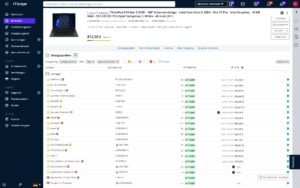
With the integration between stepsERP and ITscope, product details, prices, availability, and supplier information are automatically made available in stepsERP—without the need for time-consuming manual updates. You initiate orders directly from stepsERP; transmission to your distributors takes place via ITscope. Response documents such as order confirmations, delivery notes, or tracking information flow electronically back into the system. This creates a seamless, automated ordering process with fully integrated document exchange—for less effort, fewer errors, and significantly greater efficiency in day-to-day operations.
Requirements for connecting stepsERP to ITscope
Basic License (Basic)
Module: “stepsERP Subscription – ITscope Integration”
Providers & conditions
Step Ahead GmbH
Riesstraße 17
80992 München
www.stepahead.de
Robert Quotschalla
Head of Sales
E‑Mail: vertrieb@stepahead.de
Telefon: +49 89 894060–500
Features of the stepsERP Integration
Individual Price/Stock Update
Bulk Price/Inventory Update (via API Export)
Product Search in the ERP System
Item creation from the ERP system
Import product master data from ITscope into the ERP system with a single click
Import collections from ITscope into ERP with a single click
Orders with electronic document exchange (order confirmation, delivery note) generated directly from the ERP system
Import quotes from ITscope with a single click
Creating offers in ERP using ITscope items
- Data sheets, images, and product descriptions from ITscope can be easily imported into the ERP
system - ITscope accessories can be added directly
- Item data can be updated with a single click for each item
- Master data, pricing, and inventory data can be updated on a scheduled basis via a full import (requires the Catalog Export add-on)
- Mapping of manufacturers, suppliers, and categories
stepsERP: Customized ERP solutions for small and medium-sized businesses
We are happy to answer your questions about stepsERP and ITscope.
Integration comparison at a glance
Discover a side-by-side comparison of partner interfaces with just one click
| Kategorie |  SAP Business One SAP Business One |  Systemhaus.One Systemhaus.One |  Odoo Odoo |  weclapp weclapp |  DYCE / SITE DYCE / SITE |  Microsoft Dynamics Microsoft Dynamics BC/NAV |  c‑entron c‑entron |  stepsERP stepsERP |  SelectLine SelectLine |  Sage 100 Sage 100 |  JUST.IN JUST.IN |  Concept Office Concept Office | |
|---|---|---|---|---|---|---|---|---|---|---|---|---|---|
| Product search | Product search in ERP system | ✔ | ✔ | ✔ | ✔ | ✔ | ✔ | ✔ | ✔ | ✔ | ✔ | ✔ | ✔ |
| Product search | Price comparison for existing/older offers | ✔ | ✔ | ✔* | |||||||||
| Prices/stock levels | Individual price/stock level update | ✔ | ✔ | ✔ | ✔ | ✔ | ✔ | ✔ | ✔ | ✔ | ✔ | ✔ | ✔ |
| Prices/stock levels | Bulk price/stock level update | ✔* | ✔ | ✔ | ✔ | ✔ | ✔ | ✔ | ✔ | ||||
| Product Creation | Add products from ITscope to ERP system with a click | ✔ | ✔ | ✔ | ✔ | ✔ | ✔ | ✔ | ✔ | ✔ | ✔* | ✔ | |
| Product Creation | Add products in ERP system | ✔ | ✔ | ✔ | ✔ | ✔ | ✔ | ✔ | ✔ | ✔ | ✔ | ✔ | |
| Product Creation | ITscope accessory products can be transferred directly | ✔ | ✔ | ✔ | ✔ | ✔ | ✔ | ||||||
| Quote | Transfer quotes from ITscope with a click (share button) | ✔ | ✔ | ✔ | ✔ | ✔ | ✔ | ✔* | |||||
| Quote | Create quotes in ERP system containing ITscope products | ✔ | ✔ | ✔ | ✔ | ✔ | ✔ | ✔ | ✔ | ✔ | ✔ | ✔ | ✔ |
| Orders | Transfer orders from ITscope to ERP system | ✔ | ✔ | ✔ | ✔ | ✔ | ✔* | ||||||
| Orders | Place orders from the ERP and transmit them via EDI | ✔ | ✔ | ✔ | ✔ | ✔ | ✔ | ✔ | ✔ | ✔ | ✔ | ✔ | |
| Orders | Automatic document transfer (response documents) | ✔ | ✔ | ✔ | ✔ | ✔ | ✔ | ✔ | ✔ | ✔ | ✔ | ✔ | |
| Orders | Order confirmation | ✔ | ✔ | ✔ | ✔ | ✔ | ✔ | ✔ | ✔ | ✔ | ✔ | ✔ | |
| Orders | Delivery note details (serial number) | ✔ | ✔ | ✔ | ✔ | ✔ | ✔ | ✔ | ✔ | ✔ | ✔ | ✔ | |
| Orders | Dispatch confirmation (tracking information) | ✔ | ✔ | ✔ | ✔ | ✔ | ✔ | ✔ | ✔ | ✔ | ✔ | ||
| Orders | Proforma invoice | ✔ | ✔ | ✔ | ✔ | ✔ | ✔ | ✔ | |||||
| Orders | Orders of licence products | ✔ | ✔ | ✔ | ✔ | ✔ | ✔ | ✔ | |||||
| Orders | Own delivery note | ✔ | ✔ | ✔ | ✔ | ✔ | ✔ | ✔ | ✔* | ||||
| Orders | Project orders, special prices | ✔ | ✔ | ✔ | ✔ | ✔ | ✔ | ✔* | ✔ | ✔ | |||
| B2B Shop | Import orders from B2B shop into ERP system | ✔ | ✔ | ✔ | ✔ | ✔ | ✔ | ✔ | |||||
| B2B Shop | Automatic exchange of documents from ERP system into the B2B shop | ✔ | ✔ | ||||||||||
| B2B Shop | Synchronisation of order status from ERP system into ITscope | ✔ | ✔ | ✔ | ✔ | ||||||||
| Datasheets/content | Datasheet as a URL | ✔ | ✔ | ✔ | ✔ | ✔ | ✔ | ✔ | ✔ | ✔ | ✔ | ✔ | |
| Datasheets/content | Long text transfer | ✔ | ✔ | ✔ | ✔ | ✔ | ✔ | ✔ | ✔ | ✔ | |||
| Datasheets/content | Short text transfer | ✔ | ✔ | ✔ | ✔ | ✔ | ✔ | ✔ | ✔ | ✔ | ✔ | ||
| Datasheets/content | Determination of the article standard appearance | ✔ | ✔ | ✔ | ✔ | ✔ | ✔* | ||||||
| Master data update | Master data of each product can be updated with a click | ✔ | ✔ | ✔ | ✔ | ✔ | ✔ | ✔ | ✔ | ✔ | ✔ | ✔ | ✔ |
| Master data update | Master data can be updated via scheduled imports | ✔* | ✔ | ✔ | ✔ | ✔ | ✔* | ✔ | ✔ | ||||
| Master data mapping | Mapping/transfer of manufacturers | ✔ | ✔ | ✔* | ✔ | ✔ | ✔ | ✔ | ✔ | ✔ | ✔ | ||
| Master data mapping | Mapping/transfer of suppliers | ✔ | ✔ | ✔* | ✔ | ✔ | ✔ | ✔ | ✔ | ✔ | ✔ | ||
| Master data mapping | Mapping of categories | ✔ | ✔ | ✔* | ✔ | ✔ | ✔ | ✔ | ✔ | ✔ | ✔ |
| Kategorie | SAP Business One | Systemhaus.One | Odoo | weclapp | DYCE / SITE | Microsoft Dynamics BC/NAV | c‑entron | stepsERP | SelectLine | Sage 100 | JUST.IN | Concept Office | |
|---|---|---|---|---|---|---|---|---|---|---|---|---|---|
| Product search | Product search in ERP system | ✔ | ✔ | ✔ | ✔ | ✔ | ✔ | ✔ | ✔ | ✔ | ✔ | ✔ | ✔ |
| Product search | Price comparison for existing/older offers | ✔ | ✔ | ✔* | |||||||||
| Prices/stock levels | Individual price/stock level update | ✔ | ✔ | ✔ | ✔ | ✔ | ✔ | ✔ | ✔ | ✔ | ✔ | ✔ | ✔ |
| Prices/stock levels | Bulk price/stock level update | ✔* | ✔ | ✔ | ✔ | ✔ | ✔ | ✔ | ✔ | ||||
| Product Creation | Add products from ITscope to ERP system with a click | ✔ | ✔ | ✔ | ✔ | ✔ | ✔ | ✔ | ✔ | ✔ | ✔* | ✔ | |
| Product Creation | Add products in ERP system | ✔ | ✔ | ✔ | ✔ | ✔ | ✔ | ✔ | ✔ | ✔ | ✔ | ✔ | |
| Product Creation | ITscope accessory products can be transferred directly | ✔ | ✔ | ✔ | ✔ | ✔ | ✔ | ||||||
| Quote | Transfer quotes from ITscope with a click (share button) | ✔ | ✔ | ✔ | ✔ | ✔ | ✔ | ✔* | |||||
| Quote | Create quotes in ERP system containing ITscope products | ✔ | ✔ | ✔ | ✔ | ✔ | ✔ | ✔ | ✔ | ✔ | ✔ | ✔ | ✔ |
| Orders | Transfer orders from ITscope to ERP system | ✔ | ✔ | ✔ | ✔ | ✔ | ✔* | ||||||
| Orders | Place orders from the ERP and transmit them via EDI | ✔ | ✔ | ✔ | ✔ | ✔ | ✔ | ✔ | ✔ | ✔ | ✔ | ✔ | |
| Orders | Automatic document transfer (response documents) | ✔ | ✔ | ✔ | ✔ | ✔ | ✔ | ✔ | ✔ | ✔ | ✔ | ✔ | |
| Orders | Order confirmation | ✔ | ✔ | ✔ | ✔ | ✔ | ✔ | ✔ | ✔ | ✔ | ✔ | ✔ | |
| Orders | Delivery note details (serial number) | ✔ | ✔ | ✔ | ✔ | ✔ | ✔ | ✔ | ✔ | ✔ | ✔ | ✔ | |
| Orders | Dispatch confirmation (tracking information) | ✔ | ✔ | ✔ | ✔ | ✔ | ✔ | ✔ | ✔ | ✔ | ✔ | ||
| Orders | Proforma invoice | ✔ | ✔ | ✔ | ✔ | ✔ | ✔ | ✔ | |||||
| Orders | Orders of licence products | ✔ | ✔ | ✔ | ✔ | ✔ | ✔ | ✔ | |||||
| Orders | Own delivery note | ✔ | ✔ | ✔ | ✔ | ✔ | ✔ | ✔ | ✔* | ||||
| Orders | Project orders, special prices | ✔ | ✔ | ✔ | ✔ | ✔ | ✔ | ✔* | ✔ | ✔ | |||
| B2B Shop | Import orders from B2B shop into ERP system | ✔ | ✔ | ✔ | ✔ | ✔ | ✔ | ✔ | |||||
| B2B Shop | Automatic exchange of documents from ERP system into the B2B shop | ✔ | ✔ | ||||||||||
| B2B Shop | Synchronisation of order status from ERP system into ITscope | ✔ | ✔ | ✔ | ✔ | ||||||||
| Datasheets/content | Datasheet as a URL | ✔ | ✔ | ✔ | ✔ | ✔ | ✔ | ✔ | ✔ | ✔ | ✔ | ✔ | |
| Datasheets/content | Long text transfer | ✔ | ✔ | ✔ | ✔ | ✔ | ✔ | ✔ | ✔ | ✔ | |||
| Datasheets/content | Short text transfer | ✔ | ✔ | ✔ | ✔ | ✔ | ✔ | ✔ | ✔ | ✔ | ✔ | ||
| Datasheets/content | Determination of the article standard appearance | ✔ | ✔ | ✔ | ✔ | ✔ | ✔* | ||||||
| Master data update | Master data of each product can be updated with a click | ✔ | ✔ | ✔ | ✔ | ✔ | ✔ | ✔ | ✔ | ✔ | ✔ | ✔ | ✔ |
| Master data update | Master data can be updated via scheduled imports | ✔* | ✔ | ✔ | ✔ | ✔ | ✔* | ✔ | ✔ | ||||
| Master data mapping | Mapping/transfer of manufacturers | ✔ | ✔ | ✔* | ✔ | ✔ | ✔ | ✔ | ✔ | ✔ | ✔ | ||
| Master data mapping | Mapping/transfer of suppliers | ✔ | ✔ | ✔* | ✔ | ✔ | ✔ | ✔ | ✔ | ✔ | ✔ | ||
| Master data mapping | Mapping of categories | ✔ | ✔ | ✔* | ✔ | ✔ | ✔ | ✔ | ✔ | ✔ | ✔ |
| Kategorie | SAP Business One | Systemhaus.One | Odoo | weclapp | DYCE / SITE | Microsoft Dynamics BC/NAV | c‑entron | stepsERP | SelectLine | Sage 100 | JUST.IN | Concept Office | |
|---|---|---|---|---|---|---|---|---|---|---|---|---|---|
| Product search | Product search in ERP system | ✔ | ✔ | ✔ | ✔ | ✔ | ✔ | ✔ | ✔ | ✔ | ✔ | ✔ | ✔ |
| Product search | Price comparison for existing/older offers | ✔ | ✔ | ✔* | |||||||||
| Prices/stock levels | Individual price/stock level update | ✔ | ✔ | ✔ | ✔ | ✔ | ✔ | ✔ | ✔ | ✔ | ✔ | ✔ | ✔ |
| Prices/stock levels | Bulk price/stock level update | ✔* | ✔ | ✔ | ✔ | ✔ | ✔ | ✔ | ✔ | ||||
| Product Creation | Add products from ITscope to ERP system with a click | ✔ | ✔ | ✔ | ✔ | ✔ | ✔ | ✔ | ✔ | ✔ | ✔* | ✔ | |
| Product Creation | Add products in ERP system | ✔ | ✔ | ✔ | ✔ | ✔ | ✔ | ✔ | ✔ | ✔ | ✔ | ✔ | |
| Product Creation | ITscope accessory products can be transferred directly | ✔ | ✔ | ✔ | ✔ | ✔ | ✔ | ||||||
| Quote | Transfer quotes from ITscope with a click (share button) | ✔ | ✔ | ✔ | ✔ | ✔ | ✔ | ✔* | |||||
| Quote | Create quotes in ERP system containing ITscope products | ✔ | ✔ | ✔ | ✔ | ✔ | ✔ | ✔ | ✔ | ✔ | ✔ | ✔ | ✔ |
| Orders | Transfer orders from ITscope to ERP system | ✔ | ✔ | ✔ | ✔ | ✔ | ✔* | ||||||
| Orders | Place orders from the ERP and transmit them via EDI | ✔ | ✔ | ✔ | ✔ | ✔ | ✔ | ✔ | ✔ | ✔ | ✔ | ✔ | |
| Orders | Automatic document transfer (response documents) | ✔ | ✔ | ✔ | ✔ | ✔ | ✔ | ✔ | ✔ | ✔ | ✔ | ✔ | |
| Orders | Order confirmation | ✔ | ✔ | ✔ | ✔ | ✔ | ✔ | ✔ | ✔ | ✔ | ✔ | ✔ | |
| Orders | Delivery note details (serial number) | ✔ | ✔ | ✔ | ✔ | ✔ | ✔ | ✔ | ✔ | ✔ | ✔ | ✔ | |
| Orders | Dispatch confirmation (tracking information) | ✔ | ✔ | ✔ | ✔ | ✔ | ✔ | ✔ | ✔ | ✔ | ✔ | ||
| Orders | Proforma invoice | ✔ | ✔ | ✔ | ✔ | ✔ | ✔ | ✔ | |||||
| Orders | Orders of licence products | ✔ | ✔ | ✔ | ✔ | ✔ | ✔ | ✔ | |||||
| Orders | Own delivery note | ✔ | ✔ | ✔ | ✔ | ✔ | ✔ | ✔ | ✔* | ||||
| Orders | Project orders, special prices | ✔ | ✔ | ✔ | ✔ | ✔ | ✔ | ✔* | ✔ | ✔ | |||
| B2B Shop | Import orders from B2B shop into ERP system | ✔ | ✔ | ✔ | ✔ | ✔ | ✔ | ✔ | |||||
| B2B Shop | Automatic exchange of documents from ERP system into the B2B shop | ✔ | ✔ | ||||||||||
| B2B Shop | Synchronisation of order status from ERP system into ITscope | ✔ | ✔ | ✔ | ✔ | ||||||||
| Datasheets/content | Datasheet as a URL | ✔ | ✔ | ✔ | ✔ | ✔ | ✔ | ✔ | ✔ | ✔ | ✔ | ✔ | |
| Datasheets/content | Long text transfer | ✔ | ✔ | ✔ | ✔ | ✔ | ✔ | ✔ | ✔ | ✔ | |||
| Datasheets/content | Short text transfer | ✔ | ✔ | ✔ | ✔ | ✔ | ✔ | ✔ | ✔ | ✔ | ✔ | ||
| Datasheets/content | Determination of the article standard appearance | ✔ | ✔ | ✔ | ✔ | ✔ | ✔* | ||||||
| Master data update | Master data of each product can be updated with a click | ✔ | ✔ | ✔ | ✔ | ✔ | ✔ | ✔ | ✔ | ✔ | ✔ | ✔ | ✔ |
| Master data update | Master data can be updated via scheduled imports | ✔* | ✔ | ✔ | ✔ | ✔ | ✔* | ✔ | ✔ | ||||
| Master data mapping | Mapping/transfer of manufacturers | ✔ | ✔ | ✔* | ✔ | ✔ | ✔ | ✔ | ✔ | ✔ | ✔ | ||
| Master data mapping | Mapping/transfer of suppliers | ✔ | ✔ | ✔* | ✔ | ✔ | ✔ | ✔ | ✔ | ✔ | ✔ | ||
| Master data mapping | Mapping of categories | ✔ | ✔ | ✔* | ✔ | ✔ | ✔ | ✔ | ✔ | ✔ | ✔ |
| Kategorie | SAP Business One | Systemhaus.One | Odoo | weclapp | DYCE / SITE | Microsoft Dynamics BC/NAV | c‑entron | stepsERP | SelectLine | Sage 100 | JUST.IN | Concept Office | |
|---|---|---|---|---|---|---|---|---|---|---|---|---|---|
| Product search | Product search in ERP system | ✔ | ✔ | ✔ | ✔ | ✔ | ✔ | ✔ | ✔ | ✔ | ✔ | ✔ | ✔ |
| Product search | Price comparison for existing/older offers | ✔ | ✔ | ✔* | |||||||||
| Prices/stock levels | Individual price/stock level update | ✔ | ✔ | ✔ | ✔ | ✔ | ✔ | ✔ | ✔ | ✔ | ✔ | ✔ | ✔ |
| Prices/stock levels | Bulk price/stock level update | ✔* | ✔ | ✔ | ✔ | ✔ | ✔ | ✔ | ✔ | ||||
| Product Creation | Add products from ITscope to ERP system with a click | ✔ | ✔ | ✔ | ✔ | ✔ | ✔ | ✔ | ✔ | ✔ | ✔* | ✔ | |
| Product Creation | Add products in ERP system | ✔ | ✔ | ✔ | ✔ | ✔ | ✔ | ✔ | ✔ | ✔ | ✔ | ✔ | |
| Product Creation | ITscope accessory products can be transferred directly | ✔ | ✔ | ✔ | ✔ | ✔ | ✔ | ||||||
| Quote | Transfer quotes from ITscope with a click (share button) | ✔ | ✔ | ✔ | ✔ | ✔ | ✔ | ✔* | |||||
| Quote | Create quotes in ERP system containing ITscope products | ✔ | ✔ | ✔ | ✔ | ✔ | ✔ | ✔ | ✔ | ✔ | ✔ | ✔ | ✔ |
| Orders | Transfer orders from ITscope to ERP system | ✔ | ✔ | ✔ | ✔ | ✔ | ✔* | ||||||
| Orders | Place orders from the ERP and transmit them via EDI | ✔ | ✔ | ✔ | ✔ | ✔ | ✔ | ✔ | ✔ | ✔ | ✔ | ✔ | |
| Orders | Automatic document transfer (response documents) | ✔ | ✔ | ✔ | ✔ | ✔ | ✔ | ✔ | ✔ | ✔ | ✔ | ✔ | |
| Orders | Order confirmation | ✔ | ✔ | ✔ | ✔ | ✔ | ✔ | ✔ | ✔ | ✔ | ✔ | ✔ | |
| Orders | Delivery note details (serial number) | ✔ | ✔ | ✔ | ✔ | ✔ | ✔ | ✔ | ✔ | ✔ | ✔ | ✔ | |
| Orders | Dispatch confirmation (tracking information) | ✔ | ✔ | ✔ | ✔ | ✔ | ✔ | ✔ | ✔ | ✔ | ✔ | ||
| Orders | Proforma invoice | ✔ | ✔ | ✔ | ✔ | ✔ | ✔ | ✔ | |||||
| Orders | Orders of licence products | ✔ | ✔ | ✔ | ✔ | ✔ | ✔ | ✔ | |||||
| Orders | Own delivery note | ✔ | ✔ | ✔ | ✔ | ✔ | ✔ | ✔ | ✔* | ||||
| Orders | Project orders, special prices | ✔ | ✔ | ✔ | ✔ | ✔ | ✔ | ✔* | ✔ | ✔ | |||
| B2B Shop | Import orders from B2B shop into ERP system | ✔ | ✔ | ✔ | ✔ | ✔ | ✔ | ✔ | |||||
| B2B Shop | Automatic exchange of documents from ERP system into the B2B shop | ✔ | ✔ | ||||||||||
| B2B Shop | Synchronisation of order status from ERP system into ITscope | ✔ | ✔ | ✔ | ✔ | ||||||||
| Datasheets/content | Datasheet as a URL | ✔ | ✔ | ✔ | ✔ | ✔ | ✔ | ✔ | ✔ | ✔ | ✔ | ✔ | |
| Datasheets/content | Long text transfer | ✔ | ✔ | ✔ | ✔ | ✔ | ✔ | ✔ | ✔ | ✔ | |||
| Datasheets/content | Short text transfer | ✔ | ✔ | ✔ | ✔ | ✔ | ✔ | ✔ | ✔ | ✔ | ✔ | ||
| Datasheets/content | Determination of the article standard appearance | ✔ | ✔ | ✔ | ✔ | ✔ | ✔* | ||||||
| Master data update | Master data of each product can be updated with a click | ✔ | ✔ | ✔ | ✔ | ✔ | ✔ | ✔ | ✔ | ✔ | ✔ | ✔ | ✔ |
| Master data update | Master data can be updated via scheduled imports | ✔* | ✔ | ✔ | ✔ | ✔ | ✔* | ✔ | ✔ | ||||
| Master data mapping | Mapping/transfer of manufacturers | ✔ | ✔ | ✔* | ✔ | ✔ | ✔ | ✔ | ✔ | ✔ | ✔ | ||
| Master data mapping | Mapping/transfer of suppliers | ✔ | ✔ | ✔* | ✔ | ✔ | ✔ | ✔ | ✔ | ✔ | ✔ | ||
| Master data mapping | Mapping of categories | ✔ | ✔ | ✔* | ✔ | ✔ | ✔ | ✔ | ✔ | ✔ | ✔ |
| Kategorie | SAP Business One | Systemhaus.One | Odoo | weclapp | DYCE / SITE | Microsoft Dynamics BC/NAV | c‑entron | stepsERP | SelectLine | Sage 100 | JUST.IN | Concept Office | |
|---|---|---|---|---|---|---|---|---|---|---|---|---|---|
| Product search | Product search in ERP system | ✔ | ✔ | ✔ | ✔ | ✔ | ✔ | ✔ | ✔ | ✔ | ✔ | ✔ | ✔ |
| Product search | Price comparison for existing/older offers | ✔ | ✔ | ✔* | |||||||||
| Prices/stock levels | Individual price/stock level update | ✔ | ✔ | ✔ | ✔ | ✔ | ✔ | ✔ | ✔ | ✔ | ✔ | ✔ | ✔ |
| Prices/stock levels | Bulk price/stock level update | ✔* | ✔ | ✔ | ✔ | ✔ | ✔ | ✔ | ✔ | ||||
| Product Creation | Add products from ITscope to ERP system with a click | ✔ | ✔ | ✔ | ✔ | ✔ | ✔ | ✔ | ✔ | ✔ | ✔* | ✔ | |
| Product Creation | Add products in ERP system | ✔ | ✔ | ✔ | ✔ | ✔ | ✔ | ✔ | ✔ | ✔ | ✔ | ✔ | |
| Product Creation | ITscope accessory products can be transferred directly | ✔ | ✔ | ✔ | ✔ | ✔ | ✔ | ||||||
| Quote | Transfer quotes from ITscope with a click (share button) | ✔ | ✔ | ✔ | ✔ | ✔ | ✔ | ✔* | |||||
| Quote | Create quotes in ERP system containing ITscope products | ✔ | ✔ | ✔ | ✔ | ✔ | ✔ | ✔ | ✔ | ✔ | ✔ | ✔ | ✔ |
| Orders | Transfer orders from ITscope to ERP system | ✔ | ✔ | ✔ | ✔ | ✔ | ✔* | ||||||
| Orders | Place orders from the ERP and transmit them via EDI | ✔ | ✔ | ✔ | ✔ | ✔ | ✔ | ✔ | ✔ | ✔ | ✔ | ✔ | |
| Orders | Automatic document transfer (response documents) | ✔ | ✔ | ✔ | ✔ | ✔ | ✔ | ✔ | ✔ | ✔ | ✔ | ✔ | |
| Orders | Order confirmation | ✔ | ✔ | ✔ | ✔ | ✔ | ✔ | ✔ | ✔ | ✔ | ✔ | ✔ | |
| Orders | Delivery note details (serial number) | ✔ | ✔ | ✔ | ✔ | ✔ | ✔ | ✔ | ✔ | ✔ | ✔ | ✔ | |
| Orders | Dispatch confirmation (tracking information) | ✔ | ✔ | ✔ | ✔ | ✔ | ✔ | ✔ | ✔ | ✔ | ✔ | ||
| Orders | Proforma invoice | ✔ | ✔ | ✔ | ✔ | ✔ | ✔ | ✔ | |||||
| Orders | Orders of licence products | ✔ | ✔ | ✔ | ✔ | ✔ | ✔ | ✔ | |||||
| Orders | Own delivery note | ✔ | ✔ | ✔ | ✔ | ✔ | ✔ | ✔ | ✔* | ||||
| Orders | Project orders, special prices | ✔ | ✔ | ✔ | ✔ | ✔ | ✔ | ✔* | ✔ | ✔ | |||
| B2B Shop | Import orders from B2B shop into ERP system | ✔ | ✔ | ✔ | ✔ | ✔ | ✔ | ✔ | |||||
| B2B Shop | Automatic exchange of documents from ERP system into the B2B shop | ✔ | ✔ | ||||||||||
| B2B Shop | Synchronisation of order status from ERP system into ITscope | ✔ | ✔ | ✔ | ✔ | ||||||||
| Datasheets/content | Datasheet as a URL | ✔ | ✔ | ✔ | ✔ | ✔ | ✔ | ✔ | ✔ | ✔ | ✔ | ✔ | |
| Datasheets/content | Long text transfer | ✔ | ✔ | ✔ | ✔ | ✔ | ✔ | ✔ | ✔ | ✔ | |||
| Datasheets/content | Short text transfer | ✔ | ✔ | ✔ | ✔ | ✔ | ✔ | ✔ | ✔ | ✔ | ✔ | ||
| Datasheets/content | Determination of the article standard appearance | ✔ | ✔ | ✔ | ✔ | ✔ | ✔* | ||||||
| Master data update | Master data of each product can be updated with a click | ✔ | ✔ | ✔ | ✔ | ✔ | ✔ | ✔ | ✔ | ✔ | ✔ | ✔ | ✔ |
| Master data update | Master data can be updated via scheduled imports | ✔* | ✔ | ✔ | ✔ | ✔ | ✔* | ✔ | ✔ | ||||
| Master data mapping | Mapping/transfer of manufacturers | ✔ | ✔ | ✔* | ✔ | ✔ | ✔ | ✔ | ✔ | ✔ | ✔ | ||
| Master data mapping | Mapping/transfer of suppliers | ✔ | ✔ | ✔* | ✔ | ✔ | ✔ | ✔ | ✔ | ✔ | ✔ | ||
| Master data mapping | Mapping of categories | ✔ | ✔ | ✔* | ✔ | ✔ | ✔ | ✔ | ✔ | ✔ | ✔ |
| Kategorie | SAP Business One | Systemhaus.One | Odoo | weclapp | DYCE / SITE | Microsoft Dynamics BC/NAV | c‑entron | stepsERP | SelectLine | Sage 100 | JUST.IN | Concept Office | |
|---|---|---|---|---|---|---|---|---|---|---|---|---|---|
| Product search | Product search in ERP system | ✔ | ✔ | ✔ | ✔ | ✔ | ✔ | ✔ | ✔ | ✔ | ✔ | ✔ | ✔ |
| Product search | Price comparison for existing/older offers | ✔ | ✔ | ✔* | |||||||||
| Prices/stock levels | Individual price/stock level update | ✔ | ✔ | ✔ | ✔ | ✔ | ✔ | ✔ | ✔ | ✔ | ✔ | ✔ | ✔ |
| Prices/stock levels | Bulk price/stock level update | ✔* | ✔ | ✔ | ✔ | ✔ | ✔ | ✔ | ✔ | ||||
| Product Creation | Add products from ITscope to ERP system with a click | ✔ | ✔ | ✔ | ✔ | ✔ | ✔ | ✔ | ✔ | ✔ | ✔* | ✔ | |
| Product Creation | Add products in ERP system | ✔ | ✔ | ✔ | ✔ | ✔ | ✔ | ✔ | ✔ | ✔ | ✔ | ✔ | |
| Product Creation | ITscope accessory products can be transferred directly | ✔ | ✔ | ✔ | ✔ | ✔ | ✔ | ||||||
| Quote | Transfer quotes from ITscope with a click (share button) | ✔ | ✔ | ✔ | ✔ | ✔ | ✔ | ✔* | |||||
| Quote | Create quotes in ERP system containing ITscope products | ✔ | ✔ | ✔ | ✔ | ✔ | ✔ | ✔ | ✔ | ✔ | ✔ | ✔ | ✔ |
| Orders | Transfer orders from ITscope to ERP system | ✔ | ✔ | ✔ | ✔ | ✔ | ✔* | ||||||
| Orders | Place orders from the ERP and transmit them via EDI | ✔ | ✔ | ✔ | ✔ | ✔ | ✔ | ✔ | ✔ | ✔ | ✔ | ✔ | |
| Orders | Automatic document transfer (response documents) | ✔ | ✔ | ✔ | ✔ | ✔ | ✔ | ✔ | ✔ | ✔ | ✔ | ✔ | |
| Orders | Order confirmation | ✔ | ✔ | ✔ | ✔ | ✔ | ✔ | ✔ | ✔ | ✔ | ✔ | ✔ | |
| Orders | Delivery note details (serial number) | ✔ | ✔ | ✔ | ✔ | ✔ | ✔ | ✔ | ✔ | ✔ | ✔ | ✔ | |
| Orders | Dispatch confirmation (tracking information) | ✔ | ✔ | ✔ | ✔ | ✔ | ✔ | ✔ | ✔ | ✔ | ✔ | ||
| Orders | Proforma invoice | ✔ | ✔ | ✔ | ✔ | ✔ | ✔ | ✔ | |||||
| Orders | Orders of licence products | ✔ | ✔ | ✔ | ✔ | ✔ | ✔ | ✔ | |||||
| Orders | Own delivery note | ✔ | ✔ | ✔ | ✔ | ✔ | ✔ | ✔ | ✔* | ||||
| Orders | Project orders, special prices | ✔ | ✔ | ✔ | ✔ | ✔ | ✔ | ✔* | ✔ | ✔ | |||
| B2B Shop | Import orders from B2B shop into ERP system | ✔ | ✔ | ✔ | ✔ | ✔ | ✔ | ✔ | |||||
| B2B Shop | Automatic exchange of documents from ERP system into the B2B shop | ✔ | ✔ | ||||||||||
| B2B Shop | Synchronisation of order status from ERP system into ITscope | ✔ | ✔ | ✔ | ✔ | ||||||||
| Datasheets/content | Datasheet as a URL | ✔ | ✔ | ✔ | ✔ | ✔ | ✔ | ✔ | ✔ | ✔ | ✔ | ✔ | |
| Datasheets/content | Long text transfer | ✔ | ✔ | ✔ | ✔ | ✔ | ✔ | ✔ | ✔ | ✔ | |||
| Datasheets/content | Short text transfer | ✔ | ✔ | ✔ | ✔ | ✔ | ✔ | ✔ | ✔ | ✔ | ✔ | ||
| Datasheets/content | Determination of the article standard appearance | ✔ | ✔ | ✔ | ✔ | ✔ | ✔* | ||||||
| Master data update | Master data of each product can be updated with a click | ✔ | ✔ | ✔ | ✔ | ✔ | ✔ | ✔ | ✔ | ✔ | ✔ | ✔ | ✔ |
| Master data update | Master data can be updated via scheduled imports | ✔* | ✔ | ✔ | ✔ | ✔ | ✔* | ✔ | ✔ | ||||
| Master data mapping | Mapping/transfer of manufacturers | ✔ | ✔ | ✔* | ✔ | ✔ | ✔ | ✔ | ✔ | ✔ | ✔ | ||
| Master data mapping | Mapping/transfer of suppliers | ✔ | ✔ | ✔* | ✔ | ✔ | ✔ | ✔ | ✔ | ✔ | ✔ | ||
| Master data mapping | Mapping of categories | ✔ | ✔ | ✔* | ✔ | ✔ | ✔ | ✔ | ✔ | ✔ | ✔ |
| Kategorie | SAP Business One | Systemhaus.One | Odoo | weclapp | DYCE / SITE | Microsoft Dynamics BC/NAV | c‑entron | stepsERP | SelectLine | Sage 100 | JUST.IN | Concept Office | |
|---|---|---|---|---|---|---|---|---|---|---|---|---|---|
| Product search | Product search in ERP system | ✔ | ✔ | ✔ | ✔ | ✔ | ✔ | ✔ | ✔ | ✔ | ✔ | ✔ | ✔ |
| Product search | Price comparison for existing/older offers | ✔ | ✔ | ✔* | |||||||||
| Prices/stock levels | Individual price/stock level update | ✔ | ✔ | ✔ | ✔ | ✔ | ✔ | ✔ | ✔ | ✔ | ✔ | ✔ | ✔ |
| Prices/stock levels | Bulk price/stock level update | ✔* | ✔ | ✔ | ✔ | ✔ | ✔ | ✔ | ✔ | ||||
| Product Creation | Add products from ITscope to ERP system with a click | ✔ | ✔ | ✔ | ✔ | ✔ | ✔ | ✔ | ✔ | ✔ | ✔* | ✔ | |
| Product Creation | Add products in ERP system | ✔ | ✔ | ✔ | ✔ | ✔ | ✔ | ✔ | ✔ | ✔ | ✔ | ✔ | |
| Product Creation | ITscope accessory products can be transferred directly | ✔ | ✔ | ✔ | ✔ | ✔ | ✔ | ||||||
| Quote | Transfer quotes from ITscope with a click (share button) | ✔ | ✔ | ✔ | ✔ | ✔ | ✔ | ✔* | |||||
| Quote | Create quotes in ERP system containing ITscope products | ✔ | ✔ | ✔ | ✔ | ✔ | ✔ | ✔ | ✔ | ✔ | ✔ | ✔ | ✔ |
| Orders | Transfer orders from ITscope to ERP system | ✔ | ✔ | ✔ | ✔ | ✔ | ✔* | ||||||
| Orders | Place orders from the ERP and transmit them via EDI | ✔ | ✔ | ✔ | ✔ | ✔ | ✔ | ✔ | ✔ | ✔ | ✔ | ✔ | |
| Orders | Automatic document transfer (response documents) | ✔ | ✔ | ✔ | ✔ | ✔ | ✔ | ✔ | ✔ | ✔ | ✔ | ✔ | |
| Orders | Order confirmation | ✔ | ✔ | ✔ | ✔ | ✔ | ✔ | ✔ | ✔ | ✔ | ✔ | ✔ | |
| Orders | Delivery note details (serial number) | ✔ | ✔ | ✔ | ✔ | ✔ | ✔ | ✔ | ✔ | ✔ | ✔ | ✔ | |
| Orders | Dispatch confirmation (tracking information) | ✔ | ✔ | ✔ | ✔ | ✔ | ✔ | ✔ | ✔ | ✔ | ✔ | ||
| Orders | Proforma invoice | ✔ | ✔ | ✔ | ✔ | ✔ | ✔ | ✔ | |||||
| Orders | Orders of licence products | ✔ | ✔ | ✔ | ✔ | ✔ | ✔ | ✔ | |||||
| Orders | Own delivery note | ✔ | ✔ | ✔ | ✔ | ✔ | ✔ | ✔ | ✔* | ||||
| Orders | Project orders, special prices | ✔ | ✔ | ✔ | ✔ | ✔ | ✔ | ✔* | ✔ | ✔ | |||
| B2B Shop | Import orders from B2B shop into ERP system | ✔ | ✔ | ✔ | ✔ | ✔ | ✔ | ✔ | |||||
| B2B Shop | Automatic exchange of documents from ERP system into the B2B shop | ✔ | ✔ | ||||||||||
| B2B Shop | Synchronisation of order status from ERP system into ITscope | ✔ | ✔ | ✔ | ✔ | ||||||||
| Datasheets/content | Datasheet as a URL | ✔ | ✔ | ✔ | ✔ | ✔ | ✔ | ✔ | ✔ | ✔ | ✔ | ✔ | |
| Datasheets/content | Long text transfer | ✔ | ✔ | ✔ | ✔ | ✔ | ✔ | ✔ | ✔ | ✔ | |||
| Datasheets/content | Short text transfer | ✔ | ✔ | ✔ | ✔ | ✔ | ✔ | ✔ | ✔ | ✔ | ✔ | ||
| Datasheets/content | Determination of the article standard appearance | ✔ | ✔ | ✔ | ✔ | ✔ | ✔* | ||||||
| Master data update | Master data of each product can be updated with a click | ✔ | ✔ | ✔ | ✔ | ✔ | ✔ | ✔ | ✔ | ✔ | ✔ | ✔ | ✔ |
| Master data update | Master data can be updated via scheduled imports | ✔* | ✔ | ✔ | ✔ | ✔ | ✔* | ✔ | ✔ | ||||
| Master data mapping | Mapping/transfer of manufacturers | ✔ | ✔ | ✔* | ✔ | ✔ | ✔ | ✔ | ✔ | ✔ | ✔ | ||
| Master data mapping | Mapping/transfer of suppliers | ✔ | ✔ | ✔* | ✔ | ✔ | ✔ | ✔ | ✔ | ✔ | ✔ | ||
| Master data mapping | Mapping of categories | ✔ | ✔ | ✔* | ✔ | ✔ | ✔ | ✔ | ✔ | ✔ | ✔ |
| Kategorie | SAP Business One | Systemhaus.One | Odoo | weclapp | DYCE / SITE | Microsoft Dynamics BC/NAV | c‑entron | stepsERP | SelectLine | Sage 100 | JUST.IN | Concept Office | |
|---|---|---|---|---|---|---|---|---|---|---|---|---|---|
| Product search | Product search in ERP system | ✔ | ✔ | ✔ | ✔ | ✔ | ✔ | ✔ | ✔ | ✔ | ✔ | ✔ | ✔ |
| Product search | Price comparison for existing/older offers | ✔ | ✔ | ✔* | |||||||||
| Prices/stock levels | Individual price/stock level update | ✔ | ✔ | ✔ | ✔ | ✔ | ✔ | ✔ | ✔ | ✔ | ✔ | ✔ | ✔ |
| Prices/stock levels | Bulk price/stock level update | ✔* | ✔ | ✔ | ✔ | ✔ | ✔ | ✔ | ✔ | ||||
| Product Creation | Add products from ITscope to ERP system with a click | ✔ | ✔ | ✔ | ✔ | ✔ | ✔ | ✔ | ✔ | ✔ | ✔* | ✔ | |
| Product Creation | Add products in ERP system | ✔ | ✔ | ✔ | ✔ | ✔ | ✔ | ✔ | ✔ | ✔ | ✔ | ✔ | |
| Product Creation | ITscope accessory products can be transferred directly | ✔ | ✔ | ✔ | ✔ | ✔ | ✔ | ||||||
| Quote | Transfer quotes from ITscope with a click (share button) | ✔ | ✔ | ✔ | ✔ | ✔ | ✔ | ✔* | |||||
| Quote | Create quotes in ERP system containing ITscope products | ✔ | ✔ | ✔ | ✔ | ✔ | ✔ | ✔ | ✔ | ✔ | ✔ | ✔ | ✔ |
| Orders | Transfer orders from ITscope to ERP system | ✔ | ✔ | ✔ | ✔ | ✔ | ✔* | ||||||
| Orders | Place orders from the ERP and transmit them via EDI | ✔ | ✔ | ✔ | ✔ | ✔ | ✔ | ✔ | ✔ | ✔ | ✔ | ✔ | |
| Orders | Automatic document transfer (response documents) | ✔ | ✔ | ✔ | ✔ | ✔ | ✔ | ✔ | ✔ | ✔ | ✔ | ✔ | |
| Orders | Order confirmation | ✔ | ✔ | ✔ | ✔ | ✔ | ✔ | ✔ | ✔ | ✔ | ✔ | ✔ | |
| Orders | Delivery note details (serial number) | ✔ | ✔ | ✔ | ✔ | ✔ | ✔ | ✔ | ✔ | ✔ | ✔ | ✔ | |
| Orders | Dispatch confirmation (tracking information) | ✔ | ✔ | ✔ | ✔ | ✔ | ✔ | ✔ | ✔ | ✔ | ✔ | ||
| Orders | Proforma invoice | ✔ | ✔ | ✔ | ✔ | ✔ | ✔ | ✔ | |||||
| Orders | Orders of licence products | ✔ | ✔ | ✔ | ✔ | ✔ | ✔ | ✔ | |||||
| Orders | Own delivery note | ✔ | ✔ | ✔ | ✔ | ✔ | ✔ | ✔ | ✔* | ||||
| Orders | Project orders, special prices | ✔ | ✔ | ✔ | ✔ | ✔ | ✔ | ✔* | ✔ | ✔ | |||
| B2B Shop | Import orders from B2B shop into ERP system | ✔ | ✔ | ✔ | ✔ | ✔ | ✔ | ✔ | |||||
| B2B Shop | Automatic exchange of documents from ERP system into the B2B shop | ✔ | ✔ | ||||||||||
| B2B Shop | Synchronisation of order status from ERP system into ITscope | ✔ | ✔ | ✔ | ✔ | ||||||||
| Datasheets/content | Datasheet as a URL | ✔ | ✔ | ✔ | ✔ | ✔ | ✔ | ✔ | ✔ | ✔ | ✔ | ✔ | |
| Datasheets/content | Long text transfer | ✔ | ✔ | ✔ | ✔ | ✔ | ✔ | ✔ | ✔ | ✔ | |||
| Datasheets/content | Short text transfer | ✔ | ✔ | ✔ | ✔ | ✔ | ✔ | ✔ | ✔ | ✔ | ✔ | ||
| Datasheets/content | Determination of the article standard appearance | ✔ | ✔ | ✔ | ✔ | ✔ | ✔* | ||||||
| Master data update | Master data of each product can be updated with a click | ✔ | ✔ | ✔ | ✔ | ✔ | ✔ | ✔ | ✔ | ✔ | ✔ | ✔ | ✔ |
| Master data update | Master data can be updated via scheduled imports | ✔* | ✔ | ✔ | ✔ | ✔ | ✔* | ✔ | ✔ | ||||
| Master data mapping | Mapping/transfer of manufacturers | ✔ | ✔ | ✔* | ✔ | ✔ | ✔ | ✔ | ✔ | ✔ | ✔ | ||
| Master data mapping | Mapping/transfer of suppliers | ✔ | ✔ | ✔* | ✔ | ✔ | ✔ | ✔ | ✔ | ✔ | ✔ | ||
| Master data mapping | Mapping of categories | ✔ | ✔ | ✔* | ✔ | ✔ | ✔ | ✔ | ✔ | ✔ | ✔ |
| Kategorie | SAP Business One | Systemhaus.One | Odoo | weclapp | DYCE / SITE | Microsoft Dynamics BC/NAV | c‑entron | stepsERP | SelectLine | Sage 100 | JUST.IN | Concept Office | |
|---|---|---|---|---|---|---|---|---|---|---|---|---|---|
| Product search | Product search in ERP system | ✔ | ✔ | ✔ | ✔ | ✔ | ✔ | ✔ | ✔ | ✔ | ✔ | ✔ | ✔ |
| Product search | Price comparison for existing/older offers | ✔ | ✔ | ✔* | |||||||||
| Prices/stock levels | Individual price/stock level update | ✔ | ✔ | ✔ | ✔ | ✔ | ✔ | ✔ | ✔ | ✔ | ✔ | ✔ | ✔ |
| Prices/stock levels | Bulk price/stock level update | ✔* | ✔ | ✔ | ✔ | ✔ | ✔ | ✔ | ✔ | ||||
| Product Creation | Add products from ITscope to ERP system with a click | ✔ | ✔ | ✔ | ✔ | ✔ | ✔ | ✔ | ✔ | ✔ | ✔* | ✔ | |
| Product Creation | Add products in ERP system | ✔ | ✔ | ✔ | ✔ | ✔ | ✔ | ✔ | ✔ | ✔ | ✔ | ✔ | |
| Product Creation | ITscope accessory products can be transferred directly | ✔ | ✔ | ✔ | ✔ | ✔ | ✔ | ||||||
| Quote | Transfer quotes from ITscope with a click (share button) | ✔ | ✔ | ✔ | ✔ | ✔ | ✔ | ✔* | |||||
| Quote | Create quotes in ERP system containing ITscope products | ✔ | ✔ | ✔ | ✔ | ✔ | ✔ | ✔ | ✔ | ✔ | ✔ | ✔ | ✔ |
| Orders | Transfer orders from ITscope to ERP system | ✔ | ✔ | ✔ | ✔ | ✔ | ✔* | ||||||
| Orders | Place orders from the ERP and transmit them via EDI | ✔ | ✔ | ✔ | ✔ | ✔ | ✔ | ✔ | ✔ | ✔ | ✔ | ✔ | |
| Orders | Automatic document transfer (response documents) | ✔ | ✔ | ✔ | ✔ | ✔ | ✔ | ✔ | ✔ | ✔ | ✔ | ✔ | |
| Orders | Order confirmation | ✔ | ✔ | ✔ | ✔ | ✔ | ✔ | ✔ | ✔ | ✔ | ✔ | ✔ | |
| Orders | Delivery note details (serial number) | ✔ | ✔ | ✔ | ✔ | ✔ | ✔ | ✔ | ✔ | ✔ | ✔ | ✔ | |
| Orders | Dispatch confirmation (tracking information) | ✔ | ✔ | ✔ | ✔ | ✔ | ✔ | ✔ | ✔ | ✔ | ✔ | ||
| Orders | Proforma invoice | ✔ | ✔ | ✔ | ✔ | ✔ | ✔ | ✔ | |||||
| Orders | Orders of licence products | ✔ | ✔ | ✔ | ✔ | ✔ | ✔ | ✔ | |||||
| Orders | Own delivery note | ✔ | ✔ | ✔ | ✔ | ✔ | ✔ | ✔ | ✔* | ||||
| Orders | Project orders, special prices | ✔ | ✔ | ✔ | ✔ | ✔ | ✔ | ✔* | ✔ | ✔ | |||
| B2B Shop | Import orders from B2B shop into ERP system | ✔ | ✔ | ✔ | ✔ | ✔ | ✔ | ✔ | |||||
| B2B Shop | Automatic exchange of documents from ERP system into the B2B shop | ✔ | ✔ | ||||||||||
| B2B Shop | Synchronisation of order status from ERP system into ITscope | ✔ | ✔ | ✔ | ✔ | ||||||||
| Datasheets/content | Datasheet as a URL | ✔ | ✔ | ✔ | ✔ | ✔ | ✔ | ✔ | ✔ | ✔ | ✔ | ✔ | |
| Datasheets/content | Long text transfer | ✔ | ✔ | ✔ | ✔ | ✔ | ✔ | ✔ | ✔ | ✔ | |||
| Datasheets/content | Short text transfer | ✔ | ✔ | ✔ | ✔ | ✔ | ✔ | ✔ | ✔ | ✔ | ✔ | ||
| Datasheets/content | Determination of the article standard appearance | ✔ | ✔ | ✔ | ✔ | ✔ | ✔* | ||||||
| Master data update | Master data of each product can be updated with a click | ✔ | ✔ | ✔ | ✔ | ✔ | ✔ | ✔ | ✔ | ✔ | ✔ | ✔ | ✔ |
| Master data update | Master data can be updated via scheduled imports | ✔* | ✔ | ✔ | ✔ | ✔ | ✔* | ✔ | ✔ | ||||
| Master data mapping | Mapping/transfer of manufacturers | ✔ | ✔ | ✔* | ✔ | ✔ | ✔ | ✔ | ✔ | ✔ | ✔ | ||
| Master data mapping | Mapping/transfer of suppliers | ✔ | ✔ | ✔* | ✔ | ✔ | ✔ | ✔ | ✔ | ✔ | ✔ | ||
| Master data mapping | Mapping of categories | ✔ | ✔ | ✔* | ✔ | ✔ | ✔ | ✔ | ✔ | ✔ | ✔ |
* only from select providers