c-entron integration for ITscope
Optimize your procurement process, from item creation to ordering directly from the ERP system
Effective collaboration between c-entron and ITscope
C‑entron, the custom-built ERP system designed specifically for IT system houses, gives users comprehensive control over all aspects of their business operations through an innovative user interface: recording service hours, comparing prices, billing contracts, financial management, order processing, CRM, purchasing, serial numbers, ticket systems, and much more. With products like iShop, c‑entron offers a closed-loop system and all the tools a system house needs, uses, and can leverage to grow.
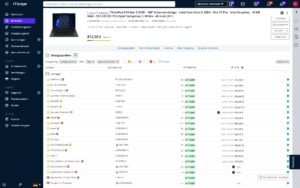
ITscope and c‑entron enable efficient and seamless collaboration. With just a single mouse click, items from the ITscope product catalog can be easily and effortlessly inserted into a c‑entron offer or order. All product names, images, and data sheets are automatically integrated and transferred to the inventory management system. Important information such as stock levels and prices are updated in seconds via the API interface. The integration is complemented by the convenient option to place orders directly from c‑entron and to benefit from electronic document exchange.
Further information
c-entron integration for ITscope
Optimize your procurement process, from item creation to ordering directly from the ERP system
Requirements for connecting c-entron to ITscope
c‑entron.NET version 2.0.27.11 or later
Setup takes just a few steps—our support team is happy to help!
contact@itscope.com
Providers & conditions
c‑entron software gmbh
Tel. +49 731 140399–321
support@c‑entron.de
Features of the c-entron integration
Search for items directly in the ERP system (via quote)
Search for articles in ITscope
Real-time checking of prices and availability
Import items from ITscope into c‑entron quotes and orders with a single click
Item data can be updated with a single click for each item
Import offers created in ITscope into c‑entron
Direct insertion of ITscope articles into offers and orders in the ERP system
Descriptions, data sheets, and images from ITscope can be easily imported into the ERP system
Accessories can be added directly
Orders can be transferred from the ITscope B2B Shop to the ERP system with a single click
Orders with electronic document exchange from the ERP system
ITscope meets c-entron: Everything at a glance
In our guide, you’ll find all the information you need to set up the interface.
We’re happy to answer any questions you may have about c-entron and ITscope.
contact@itscope.de
Integration comparison at a glance
Discover a side-by-side comparison of partner interfaces with just one click
| Kategorie |  SAP Business One SAP Business One |  Systemhaus.One Systemhaus.One |  Odoo Odoo |  weclapp weclapp |  DYCE / SITE DYCE / SITE |  Microsoft Dynamics Microsoft Dynamics BC/NAV |  c‑entron c‑entron |  stepsERP stepsERP |  SelectLine SelectLine |  Sage 100 Sage 100 |  JUST.IN JUST.IN |  Concept Office Concept Office | |
|---|---|---|---|---|---|---|---|---|---|---|---|---|---|
| Product search | Product search in ERP system | ✔ | ✔ | ✔ | ✔ | ✔ | ✔ | ✔ | ✔ | ✔ | ✔ | ✔ | ✔ |
| Product search | Price comparison for existing/older offers | ✔ | ✔ | ✔* | |||||||||
| Prices/stock levels | Individual price/stock level update | ✔ | ✔ | ✔ | ✔ | ✔ | ✔ | ✔ | ✔ | ✔ | ✔ | ✔ | ✔ |
| Prices/stock levels | Bulk price/stock level update | ✔* | ✔ | ✔ | ✔ | ✔ | ✔ | ✔ | ✔ | ||||
| Product Creation | Add products from ITscope to ERP system with a click | ✔ | ✔ | ✔ | ✔ | ✔ | ✔ | ✔ | ✔ | ✔ | ✔* | ✔ | |
| Product Creation | Add products in ERP system | ✔ | ✔ | ✔ | ✔ | ✔ | ✔ | ✔ | ✔ | ✔ | ✔ | ✔ | |
| Product Creation | ITscope accessory products can be transferred directly | ✔ | ✔ | ✔ | ✔ | ✔ | ✔ | ||||||
| Quote | Transfer quotes from ITscope with a click (share button) | ✔ | ✔ | ✔ | ✔ | ✔ | ✔ | ✔* | |||||
| Quote | Create quotes in ERP system containing ITscope products | ✔ | ✔ | ✔ | ✔ | ✔ | ✔ | ✔ | ✔ | ✔ | ✔ | ✔ | ✔ |
| Orders | Transfer orders from ITscope to ERP system | ✔ | ✔ | ✔ | ✔ | ✔ | ✔* | ||||||
| Orders | Place orders from the ERP and transmit them via EDI | ✔ | ✔ | ✔ | ✔ | ✔ | ✔ | ✔ | ✔ | ✔ | ✔ | ✔ | |
| Orders | Automatic document transfer (response documents) | ✔ | ✔ | ✔ | ✔ | ✔ | ✔ | ✔ | ✔ | ✔ | ✔ | ✔ | |
| Orders | Order confirmation | ✔ | ✔ | ✔ | ✔ | ✔ | ✔ | ✔ | ✔ | ✔ | ✔ | ✔ | |
| Orders | Delivery note details (serial number) | ✔ | ✔ | ✔ | ✔ | ✔ | ✔ | ✔ | ✔ | ✔ | ✔ | ✔ | |
| Orders | Dispatch confirmation (tracking information) | ✔ | ✔ | ✔ | ✔ | ✔ | ✔ | ✔ | ✔ | ✔ | ✔ | ||
| Orders | Proforma invoice | ✔ | ✔ | ✔ | ✔ | ✔ | ✔ | ✔ | |||||
| Orders | Orders of licence products | ✔ | ✔ | ✔ | ✔ | ✔ | ✔ | ✔ | |||||
| Orders | Own delivery note | ✔ | ✔ | ✔ | ✔ | ✔ | ✔ | ✔ | ✔* | ||||
| Orders | Project orders, special prices | ✔ | ✔ | ✔ | ✔ | ✔ | ✔ | ✔* | ✔ | ✔ | |||
| B2B Shop | Import orders from B2B shop into ERP system | ✔ | ✔ | ✔ | ✔ | ✔ | ✔ | ✔ | |||||
| B2B Shop | Automatic exchange of documents from ERP system into the B2B shop | ✔ | ✔ | ||||||||||
| B2B Shop | Synchronisation of order status from ERP system into ITscope | ✔ | ✔ | ✔ | ✔ | ||||||||
| Datasheets/content | Datasheet as a URL | ✔ | ✔ | ✔ | ✔ | ✔ | ✔ | ✔ | ✔ | ✔ | ✔ | ✔ | |
| Datasheets/content | Long text transfer | ✔ | ✔ | ✔ | ✔ | ✔ | ✔ | ✔ | ✔ | ✔ | |||
| Datasheets/content | Short text transfer | ✔ | ✔ | ✔ | ✔ | ✔ | ✔ | ✔ | ✔ | ✔ | ✔ | ||
| Datasheets/content | Determination of the article standard appearance | ✔ | ✔ | ✔ | ✔ | ✔ | ✔* | ||||||
| Master data update | Master data of each product can be updated with a click | ✔ | ✔ | ✔ | ✔ | ✔ | ✔ | ✔ | ✔ | ✔ | ✔ | ✔ | ✔ |
| Master data update | Master data can be updated via scheduled imports | ✔* | ✔ | ✔ | ✔ | ✔ | ✔* | ✔ | ✔ | ||||
| Master data mapping | Mapping/transfer of manufacturers | ✔ | ✔ | ✔* | ✔ | ✔ | ✔ | ✔ | ✔ | ✔ | ✔ | ||
| Master data mapping | Mapping/transfer of suppliers | ✔ | ✔ | ✔* | ✔ | ✔ | ✔ | ✔ | ✔ | ✔ | ✔ | ||
| Master data mapping | Mapping of categories | ✔ | ✔ | ✔* | ✔ | ✔ | ✔ | ✔ | ✔ | ✔ | ✔ |
| Kategorie | SAP Business One | Systemhaus.One | Odoo | weclapp | DYCE / SITE | Microsoft Dynamics BC/NAV | c‑entron | stepsERP | SelectLine | Sage 100 | JUST.IN | Concept Office | |
|---|---|---|---|---|---|---|---|---|---|---|---|---|---|
| Product search | Product search in ERP system | ✔ | ✔ | ✔ | ✔ | ✔ | ✔ | ✔ | ✔ | ✔ | ✔ | ✔ | ✔ |
| Product search | Price comparison for existing/older offers | ✔ | ✔ | ✔* | |||||||||
| Prices/stock levels | Individual price/stock level update | ✔ | ✔ | ✔ | ✔ | ✔ | ✔ | ✔ | ✔ | ✔ | ✔ | ✔ | ✔ |
| Prices/stock levels | Bulk price/stock level update | ✔* | ✔ | ✔ | ✔ | ✔ | ✔ | ✔ | ✔ | ||||
| Product Creation | Add products from ITscope to ERP system with a click | ✔ | ✔ | ✔ | ✔ | ✔ | ✔ | ✔ | ✔ | ✔ | ✔* | ✔ | |
| Product Creation | Add products in ERP system | ✔ | ✔ | ✔ | ✔ | ✔ | ✔ | ✔ | ✔ | ✔ | ✔ | ✔ | |
| Product Creation | ITscope accessory products can be transferred directly | ✔ | ✔ | ✔ | ✔ | ✔ | ✔ | ||||||
| Quote | Transfer quotes from ITscope with a click (share button) | ✔ | ✔ | ✔ | ✔ | ✔ | ✔ | ✔* | |||||
| Quote | Create quotes in ERP system containing ITscope products | ✔ | ✔ | ✔ | ✔ | ✔ | ✔ | ✔ | ✔ | ✔ | ✔ | ✔ | ✔ |
| Orders | Transfer orders from ITscope to ERP system | ✔ | ✔ | ✔ | ✔ | ✔ | ✔* | ||||||
| Orders | Place orders from the ERP and transmit them via EDI | ✔ | ✔ | ✔ | ✔ | ✔ | ✔ | ✔ | ✔ | ✔ | ✔ | ✔ | |
| Orders | Automatic document transfer (response documents) | ✔ | ✔ | ✔ | ✔ | ✔ | ✔ | ✔ | ✔ | ✔ | ✔ | ✔ | |
| Orders | Order confirmation | ✔ | ✔ | ✔ | ✔ | ✔ | ✔ | ✔ | ✔ | ✔ | ✔ | ✔ | |
| Orders | Delivery note details (serial number) | ✔ | ✔ | ✔ | ✔ | ✔ | ✔ | ✔ | ✔ | ✔ | ✔ | ✔ | |
| Orders | Dispatch confirmation (tracking information) | ✔ | ✔ | ✔ | ✔ | ✔ | ✔ | ✔ | ✔ | ✔ | ✔ | ||
| Orders | Proforma invoice | ✔ | ✔ | ✔ | ✔ | ✔ | ✔ | ✔ | |||||
| Orders | Orders of licence products | ✔ | ✔ | ✔ | ✔ | ✔ | ✔ | ✔ | |||||
| Orders | Own delivery note | ✔ | ✔ | ✔ | ✔ | ✔ | ✔ | ✔ | ✔* | ||||
| Orders | Project orders, special prices | ✔ | ✔ | ✔ | ✔ | ✔ | ✔ | ✔* | ✔ | ✔ | |||
| B2B Shop | Import orders from B2B shop into ERP system | ✔ | ✔ | ✔ | ✔ | ✔ | ✔ | ✔ | |||||
| B2B Shop | Automatic exchange of documents from ERP system into the B2B shop | ✔ | ✔ | ||||||||||
| B2B Shop | Synchronisation of order status from ERP system into ITscope | ✔ | ✔ | ✔ | ✔ | ||||||||
| Datasheets/content | Datasheet as a URL | ✔ | ✔ | ✔ | ✔ | ✔ | ✔ | ✔ | ✔ | ✔ | ✔ | ✔ | |
| Datasheets/content | Long text transfer | ✔ | ✔ | ✔ | ✔ | ✔ | ✔ | ✔ | ✔ | ✔ | |||
| Datasheets/content | Short text transfer | ✔ | ✔ | ✔ | ✔ | ✔ | ✔ | ✔ | ✔ | ✔ | ✔ | ||
| Datasheets/content | Determination of the article standard appearance | ✔ | ✔ | ✔ | ✔ | ✔ | ✔* | ||||||
| Master data update | Master data of each product can be updated with a click | ✔ | ✔ | ✔ | ✔ | ✔ | ✔ | ✔ | ✔ | ✔ | ✔ | ✔ | ✔ |
| Master data update | Master data can be updated via scheduled imports | ✔* | ✔ | ✔ | ✔ | ✔ | ✔* | ✔ | ✔ | ||||
| Master data mapping | Mapping/transfer of manufacturers | ✔ | ✔ | ✔* | ✔ | ✔ | ✔ | ✔ | ✔ | ✔ | ✔ | ||
| Master data mapping | Mapping/transfer of suppliers | ✔ | ✔ | ✔* | ✔ | ✔ | ✔ | ✔ | ✔ | ✔ | ✔ | ||
| Master data mapping | Mapping of categories | ✔ | ✔ | ✔* | ✔ | ✔ | ✔ | ✔ | ✔ | ✔ | ✔ |
| Kategorie | SAP Business One | Systemhaus.One | Odoo | weclapp | DYCE / SITE | Microsoft Dynamics BC/NAV | c‑entron | stepsERP | SelectLine | Sage 100 | JUST.IN | Concept Office | |
|---|---|---|---|---|---|---|---|---|---|---|---|---|---|
| Product search | Product search in ERP system | ✔ | ✔ | ✔ | ✔ | ✔ | ✔ | ✔ | ✔ | ✔ | ✔ | ✔ | ✔ |
| Product search | Price comparison for existing/older offers | ✔ | ✔ | ✔* | |||||||||
| Prices/stock levels | Individual price/stock level update | ✔ | ✔ | ✔ | ✔ | ✔ | ✔ | ✔ | ✔ | ✔ | ✔ | ✔ | ✔ |
| Prices/stock levels | Bulk price/stock level update | ✔* | ✔ | ✔ | ✔ | ✔ | ✔ | ✔ | ✔ | ||||
| Product Creation | Add products from ITscope to ERP system with a click | ✔ | ✔ | ✔ | ✔ | ✔ | ✔ | ✔ | ✔ | ✔ | ✔* | ✔ | |
| Product Creation | Add products in ERP system | ✔ | ✔ | ✔ | ✔ | ✔ | ✔ | ✔ | ✔ | ✔ | ✔ | ✔ | |
| Product Creation | ITscope accessory products can be transferred directly | ✔ | ✔ | ✔ | ✔ | ✔ | ✔ | ||||||
| Quote | Transfer quotes from ITscope with a click (share button) | ✔ | ✔ | ✔ | ✔ | ✔ | ✔ | ✔* | |||||
| Quote | Create quotes in ERP system containing ITscope products | ✔ | ✔ | ✔ | ✔ | ✔ | ✔ | ✔ | ✔ | ✔ | ✔ | ✔ | ✔ |
| Orders | Transfer orders from ITscope to ERP system | ✔ | ✔ | ✔ | ✔ | ✔ | ✔* | ||||||
| Orders | Place orders from the ERP and transmit them via EDI | ✔ | ✔ | ✔ | ✔ | ✔ | ✔ | ✔ | ✔ | ✔ | ✔ | ✔ | |
| Orders | Automatic document transfer (response documents) | ✔ | ✔ | ✔ | ✔ | ✔ | ✔ | ✔ | ✔ | ✔ | ✔ | ✔ | |
| Orders | Order confirmation | ✔ | ✔ | ✔ | ✔ | ✔ | ✔ | ✔ | ✔ | ✔ | ✔ | ✔ | |
| Orders | Delivery note details (serial number) | ✔ | ✔ | ✔ | ✔ | ✔ | ✔ | ✔ | ✔ | ✔ | ✔ | ✔ | |
| Orders | Dispatch confirmation (tracking information) | ✔ | ✔ | ✔ | ✔ | ✔ | ✔ | ✔ | ✔ | ✔ | ✔ | ||
| Orders | Proforma invoice | ✔ | ✔ | ✔ | ✔ | ✔ | ✔ | ✔ | |||||
| Orders | Orders of licence products | ✔ | ✔ | ✔ | ✔ | ✔ | ✔ | ✔ | |||||
| Orders | Own delivery note | ✔ | ✔ | ✔ | ✔ | ✔ | ✔ | ✔ | ✔* | ||||
| Orders | Project orders, special prices | ✔ | ✔ | ✔ | ✔ | ✔ | ✔ | ✔* | ✔ | ✔ | |||
| B2B Shop | Import orders from B2B shop into ERP system | ✔ | ✔ | ✔ | ✔ | ✔ | ✔ | ✔ | |||||
| B2B Shop | Automatic exchange of documents from ERP system into the B2B shop | ✔ | ✔ | ||||||||||
| B2B Shop | Synchronisation of order status from ERP system into ITscope | ✔ | ✔ | ✔ | ✔ | ||||||||
| Datasheets/content | Datasheet as a URL | ✔ | ✔ | ✔ | ✔ | ✔ | ✔ | ✔ | ✔ | ✔ | ✔ | ✔ | |
| Datasheets/content | Long text transfer | ✔ | ✔ | ✔ | ✔ | ✔ | ✔ | ✔ | ✔ | ✔ | |||
| Datasheets/content | Short text transfer | ✔ | ✔ | ✔ | ✔ | ✔ | ✔ | ✔ | ✔ | ✔ | ✔ | ||
| Datasheets/content | Determination of the article standard appearance | ✔ | ✔ | ✔ | ✔ | ✔ | ✔* | ||||||
| Master data update | Master data of each product can be updated with a click | ✔ | ✔ | ✔ | ✔ | ✔ | ✔ | ✔ | ✔ | ✔ | ✔ | ✔ | ✔ |
| Master data update | Master data can be updated via scheduled imports | ✔* | ✔ | ✔ | ✔ | ✔ | ✔* | ✔ | ✔ | ||||
| Master data mapping | Mapping/transfer of manufacturers | ✔ | ✔ | ✔* | ✔ | ✔ | ✔ | ✔ | ✔ | ✔ | ✔ | ||
| Master data mapping | Mapping/transfer of suppliers | ✔ | ✔ | ✔* | ✔ | ✔ | ✔ | ✔ | ✔ | ✔ | ✔ | ||
| Master data mapping | Mapping of categories | ✔ | ✔ | ✔* | ✔ | ✔ | ✔ | ✔ | ✔ | ✔ | ✔ |
| Kategorie | SAP Business One | Systemhaus.One | Odoo | weclapp | DYCE / SITE | Microsoft Dynamics BC/NAV | c‑entron | stepsERP | SelectLine | Sage 100 | JUST.IN | Concept Office | |
|---|---|---|---|---|---|---|---|---|---|---|---|---|---|
| Product search | Product search in ERP system | ✔ | ✔ | ✔ | ✔ | ✔ | ✔ | ✔ | ✔ | ✔ | ✔ | ✔ | ✔ |
| Product search | Price comparison for existing/older offers | ✔ | ✔ | ✔* | |||||||||
| Prices/stock levels | Individual price/stock level update | ✔ | ✔ | ✔ | ✔ | ✔ | ✔ | ✔ | ✔ | ✔ | ✔ | ✔ | ✔ |
| Prices/stock levels | Bulk price/stock level update | ✔* | ✔ | ✔ | ✔ | ✔ | ✔ | ✔ | ✔ | ||||
| Product Creation | Add products from ITscope to ERP system with a click | ✔ | ✔ | ✔ | ✔ | ✔ | ✔ | ✔ | ✔ | ✔ | ✔* | ✔ | |
| Product Creation | Add products in ERP system | ✔ | ✔ | ✔ | ✔ | ✔ | ✔ | ✔ | ✔ | ✔ | ✔ | ✔ | |
| Product Creation | ITscope accessory products can be transferred directly | ✔ | ✔ | ✔ | ✔ | ✔ | ✔ | ||||||
| Quote | Transfer quotes from ITscope with a click (share button) | ✔ | ✔ | ✔ | ✔ | ✔ | ✔ | ✔* | |||||
| Quote | Create quotes in ERP system containing ITscope products | ✔ | ✔ | ✔ | ✔ | ✔ | ✔ | ✔ | ✔ | ✔ | ✔ | ✔ | ✔ |
| Orders | Transfer orders from ITscope to ERP system | ✔ | ✔ | ✔ | ✔ | ✔ | ✔* | ||||||
| Orders | Place orders from the ERP and transmit them via EDI | ✔ | ✔ | ✔ | ✔ | ✔ | ✔ | ✔ | ✔ | ✔ | ✔ | ✔ | |
| Orders | Automatic document transfer (response documents) | ✔ | ✔ | ✔ | ✔ | ✔ | ✔ | ✔ | ✔ | ✔ | ✔ | ✔ | |
| Orders | Order confirmation | ✔ | ✔ | ✔ | ✔ | ✔ | ✔ | ✔ | ✔ | ✔ | ✔ | ✔ | |
| Orders | Delivery note details (serial number) | ✔ | ✔ | ✔ | ✔ | ✔ | ✔ | ✔ | ✔ | ✔ | ✔ | ✔ | |
| Orders | Dispatch confirmation (tracking information) | ✔ | ✔ | ✔ | ✔ | ✔ | ✔ | ✔ | ✔ | ✔ | ✔ | ||
| Orders | Proforma invoice | ✔ | ✔ | ✔ | ✔ | ✔ | ✔ | ✔ | |||||
| Orders | Orders of licence products | ✔ | ✔ | ✔ | ✔ | ✔ | ✔ | ✔ | |||||
| Orders | Own delivery note | ✔ | ✔ | ✔ | ✔ | ✔ | ✔ | ✔ | ✔* | ||||
| Orders | Project orders, special prices | ✔ | ✔ | ✔ | ✔ | ✔ | ✔ | ✔* | ✔ | ✔ | |||
| B2B Shop | Import orders from B2B shop into ERP system | ✔ | ✔ | ✔ | ✔ | ✔ | ✔ | ✔ | |||||
| B2B Shop | Automatic exchange of documents from ERP system into the B2B shop | ✔ | ✔ | ||||||||||
| B2B Shop | Synchronisation of order status from ERP system into ITscope | ✔ | ✔ | ✔ | ✔ | ||||||||
| Datasheets/content | Datasheet as a URL | ✔ | ✔ | ✔ | ✔ | ✔ | ✔ | ✔ | ✔ | ✔ | ✔ | ✔ | |
| Datasheets/content | Long text transfer | ✔ | ✔ | ✔ | ✔ | ✔ | ✔ | ✔ | ✔ | ✔ | |||
| Datasheets/content | Short text transfer | ✔ | ✔ | ✔ | ✔ | ✔ | ✔ | ✔ | ✔ | ✔ | ✔ | ||
| Datasheets/content | Determination of the article standard appearance | ✔ | ✔ | ✔ | ✔ | ✔ | ✔* | ||||||
| Master data update | Master data of each product can be updated with a click | ✔ | ✔ | ✔ | ✔ | ✔ | ✔ | ✔ | ✔ | ✔ | ✔ | ✔ | ✔ |
| Master data update | Master data can be updated via scheduled imports | ✔* | ✔ | ✔ | ✔ | ✔ | ✔* | ✔ | ✔ | ||||
| Master data mapping | Mapping/transfer of manufacturers | ✔ | ✔ | ✔* | ✔ | ✔ | ✔ | ✔ | ✔ | ✔ | ✔ | ||
| Master data mapping | Mapping/transfer of suppliers | ✔ | ✔ | ✔* | ✔ | ✔ | ✔ | ✔ | ✔ | ✔ | ✔ | ||
| Master data mapping | Mapping of categories | ✔ | ✔ | ✔* | ✔ | ✔ | ✔ | ✔ | ✔ | ✔ | ✔ |
| Kategorie | SAP Business One | Systemhaus.One | Odoo | weclapp | DYCE / SITE | Microsoft Dynamics BC/NAV | c‑entron | stepsERP | SelectLine | Sage 100 | JUST.IN | Concept Office | |
|---|---|---|---|---|---|---|---|---|---|---|---|---|---|
| Product search | Product search in ERP system | ✔ | ✔ | ✔ | ✔ | ✔ | ✔ | ✔ | ✔ | ✔ | ✔ | ✔ | ✔ |
| Product search | Price comparison for existing/older offers | ✔ | ✔ | ✔* | |||||||||
| Prices/stock levels | Individual price/stock level update | ✔ | ✔ | ✔ | ✔ | ✔ | ✔ | ✔ | ✔ | ✔ | ✔ | ✔ | ✔ |
| Prices/stock levels | Bulk price/stock level update | ✔* | ✔ | ✔ | ✔ | ✔ | ✔ | ✔ | ✔ | ||||
| Product Creation | Add products from ITscope to ERP system with a click | ✔ | ✔ | ✔ | ✔ | ✔ | ✔ | ✔ | ✔ | ✔ | ✔* | ✔ | |
| Product Creation | Add products in ERP system | ✔ | ✔ | ✔ | ✔ | ✔ | ✔ | ✔ | ✔ | ✔ | ✔ | ✔ | |
| Product Creation | ITscope accessory products can be transferred directly | ✔ | ✔ | ✔ | ✔ | ✔ | ✔ | ||||||
| Quote | Transfer quotes from ITscope with a click (share button) | ✔ | ✔ | ✔ | ✔ | ✔ | ✔ | ✔* | |||||
| Quote | Create quotes in ERP system containing ITscope products | ✔ | ✔ | ✔ | ✔ | ✔ | ✔ | ✔ | ✔ | ✔ | ✔ | ✔ | ✔ |
| Orders | Transfer orders from ITscope to ERP system | ✔ | ✔ | ✔ | ✔ | ✔ | ✔* | ||||||
| Orders | Place orders from the ERP and transmit them via EDI | ✔ | ✔ | ✔ | ✔ | ✔ | ✔ | ✔ | ✔ | ✔ | ✔ | ✔ | |
| Orders | Automatic document transfer (response documents) | ✔ | ✔ | ✔ | ✔ | ✔ | ✔ | ✔ | ✔ | ✔ | ✔ | ✔ | |
| Orders | Order confirmation | ✔ | ✔ | ✔ | ✔ | ✔ | ✔ | ✔ | ✔ | ✔ | ✔ | ✔ | |
| Orders | Delivery note details (serial number) | ✔ | ✔ | ✔ | ✔ | ✔ | ✔ | ✔ | ✔ | ✔ | ✔ | ✔ | |
| Orders | Dispatch confirmation (tracking information) | ✔ | ✔ | ✔ | ✔ | ✔ | ✔ | ✔ | ✔ | ✔ | ✔ | ||
| Orders | Proforma invoice | ✔ | ✔ | ✔ | ✔ | ✔ | ✔ | ✔ | |||||
| Orders | Orders of licence products | ✔ | ✔ | ✔ | ✔ | ✔ | ✔ | ✔ | |||||
| Orders | Own delivery note | ✔ | ✔ | ✔ | ✔ | ✔ | ✔ | ✔ | ✔* | ||||
| Orders | Project orders, special prices | ✔ | ✔ | ✔ | ✔ | ✔ | ✔ | ✔* | ✔ | ✔ | |||
| B2B Shop | Import orders from B2B shop into ERP system | ✔ | ✔ | ✔ | ✔ | ✔ | ✔ | ✔ | |||||
| B2B Shop | Automatic exchange of documents from ERP system into the B2B shop | ✔ | ✔ | ||||||||||
| B2B Shop | Synchronisation of order status from ERP system into ITscope | ✔ | ✔ | ✔ | ✔ | ||||||||
| Datasheets/content | Datasheet as a URL | ✔ | ✔ | ✔ | ✔ | ✔ | ✔ | ✔ | ✔ | ✔ | ✔ | ✔ | |
| Datasheets/content | Long text transfer | ✔ | ✔ | ✔ | ✔ | ✔ | ✔ | ✔ | ✔ | ✔ | |||
| Datasheets/content | Short text transfer | ✔ | ✔ | ✔ | ✔ | ✔ | ✔ | ✔ | ✔ | ✔ | ✔ | ||
| Datasheets/content | Determination of the article standard appearance | ✔ | ✔ | ✔ | ✔ | ✔ | ✔* | ||||||
| Master data update | Master data of each product can be updated with a click | ✔ | ✔ | ✔ | ✔ | ✔ | ✔ | ✔ | ✔ | ✔ | ✔ | ✔ | ✔ |
| Master data update | Master data can be updated via scheduled imports | ✔* | ✔ | ✔ | ✔ | ✔ | ✔* | ✔ | ✔ | ||||
| Master data mapping | Mapping/transfer of manufacturers | ✔ | ✔ | ✔* | ✔ | ✔ | ✔ | ✔ | ✔ | ✔ | ✔ | ||
| Master data mapping | Mapping/transfer of suppliers | ✔ | ✔ | ✔* | ✔ | ✔ | ✔ | ✔ | ✔ | ✔ | ✔ | ||
| Master data mapping | Mapping of categories | ✔ | ✔ | ✔* | ✔ | ✔ | ✔ | ✔ | ✔ | ✔ | ✔ |
| Kategorie | SAP Business One | Systemhaus.One | Odoo | weclapp | DYCE / SITE | Microsoft Dynamics BC/NAV | c‑entron | stepsERP | SelectLine | Sage 100 | JUST.IN | Concept Office | |
|---|---|---|---|---|---|---|---|---|---|---|---|---|---|
| Product search | Product search in ERP system | ✔ | ✔ | ✔ | ✔ | ✔ | ✔ | ✔ | ✔ | ✔ | ✔ | ✔ | ✔ |
| Product search | Price comparison for existing/older offers | ✔ | ✔ | ✔* | |||||||||
| Prices/stock levels | Individual price/stock level update | ✔ | ✔ | ✔ | ✔ | ✔ | ✔ | ✔ | ✔ | ✔ | ✔ | ✔ | ✔ |
| Prices/stock levels | Bulk price/stock level update | ✔* | ✔ | ✔ | ✔ | ✔ | ✔ | ✔ | ✔ | ||||
| Product Creation | Add products from ITscope to ERP system with a click | ✔ | ✔ | ✔ | ✔ | ✔ | ✔ | ✔ | ✔ | ✔ | ✔* | ✔ | |
| Product Creation | Add products in ERP system | ✔ | ✔ | ✔ | ✔ | ✔ | ✔ | ✔ | ✔ | ✔ | ✔ | ✔ | |
| Product Creation | ITscope accessory products can be transferred directly | ✔ | ✔ | ✔ | ✔ | ✔ | ✔ | ||||||
| Quote | Transfer quotes from ITscope with a click (share button) | ✔ | ✔ | ✔ | ✔ | ✔ | ✔ | ✔* | |||||
| Quote | Create quotes in ERP system containing ITscope products | ✔ | ✔ | ✔ | ✔ | ✔ | ✔ | ✔ | ✔ | ✔ | ✔ | ✔ | ✔ |
| Orders | Transfer orders from ITscope to ERP system | ✔ | ✔ | ✔ | ✔ | ✔ | ✔* | ||||||
| Orders | Place orders from the ERP and transmit them via EDI | ✔ | ✔ | ✔ | ✔ | ✔ | ✔ | ✔ | ✔ | ✔ | ✔ | ✔ | |
| Orders | Automatic document transfer (response documents) | ✔ | ✔ | ✔ | ✔ | ✔ | ✔ | ✔ | ✔ | ✔ | ✔ | ✔ | |
| Orders | Order confirmation | ✔ | ✔ | ✔ | ✔ | ✔ | ✔ | ✔ | ✔ | ✔ | ✔ | ✔ | |
| Orders | Delivery note details (serial number) | ✔ | ✔ | ✔ | ✔ | ✔ | ✔ | ✔ | ✔ | ✔ | ✔ | ✔ | |
| Orders | Dispatch confirmation (tracking information) | ✔ | ✔ | ✔ | ✔ | ✔ | ✔ | ✔ | ✔ | ✔ | ✔ | ||
| Orders | Proforma invoice | ✔ | ✔ | ✔ | ✔ | ✔ | ✔ | ✔ | |||||
| Orders | Orders of licence products | ✔ | ✔ | ✔ | ✔ | ✔ | ✔ | ✔ | |||||
| Orders | Own delivery note | ✔ | ✔ | ✔ | ✔ | ✔ | ✔ | ✔ | ✔* | ||||
| Orders | Project orders, special prices | ✔ | ✔ | ✔ | ✔ | ✔ | ✔ | ✔* | ✔ | ✔ | |||
| B2B Shop | Import orders from B2B shop into ERP system | ✔ | ✔ | ✔ | ✔ | ✔ | ✔ | ✔ | |||||
| B2B Shop | Automatic exchange of documents from ERP system into the B2B shop | ✔ | ✔ | ||||||||||
| B2B Shop | Synchronisation of order status from ERP system into ITscope | ✔ | ✔ | ✔ | ✔ | ||||||||
| Datasheets/content | Datasheet as a URL | ✔ | ✔ | ✔ | ✔ | ✔ | ✔ | ✔ | ✔ | ✔ | ✔ | ✔ | |
| Datasheets/content | Long text transfer | ✔ | ✔ | ✔ | ✔ | ✔ | ✔ | ✔ | ✔ | ✔ | |||
| Datasheets/content | Short text transfer | ✔ | ✔ | ✔ | ✔ | ✔ | ✔ | ✔ | ✔ | ✔ | ✔ | ||
| Datasheets/content | Determination of the article standard appearance | ✔ | ✔ | ✔ | ✔ | ✔ | ✔* | ||||||
| Master data update | Master data of each product can be updated with a click | ✔ | ✔ | ✔ | ✔ | ✔ | ✔ | ✔ | ✔ | ✔ | ✔ | ✔ | ✔ |
| Master data update | Master data can be updated via scheduled imports | ✔* | ✔ | ✔ | ✔ | ✔ | ✔* | ✔ | ✔ | ||||
| Master data mapping | Mapping/transfer of manufacturers | ✔ | ✔ | ✔* | ✔ | ✔ | ✔ | ✔ | ✔ | ✔ | ✔ | ||
| Master data mapping | Mapping/transfer of suppliers | ✔ | ✔ | ✔* | ✔ | ✔ | ✔ | ✔ | ✔ | ✔ | ✔ | ||
| Master data mapping | Mapping of categories | ✔ | ✔ | ✔* | ✔ | ✔ | ✔ | ✔ | ✔ | ✔ | ✔ |
| Kategorie | SAP Business One | Systemhaus.One | Odoo | weclapp | DYCE / SITE | Microsoft Dynamics BC/NAV | c‑entron | stepsERP | SelectLine | Sage 100 | JUST.IN | Concept Office | |
|---|---|---|---|---|---|---|---|---|---|---|---|---|---|
| Product search | Product search in ERP system | ✔ | ✔ | ✔ | ✔ | ✔ | ✔ | ✔ | ✔ | ✔ | ✔ | ✔ | ✔ |
| Product search | Price comparison for existing/older offers | ✔ | ✔ | ✔* | |||||||||
| Prices/stock levels | Individual price/stock level update | ✔ | ✔ | ✔ | ✔ | ✔ | ✔ | ✔ | ✔ | ✔ | ✔ | ✔ | ✔ |
| Prices/stock levels | Bulk price/stock level update | ✔* | ✔ | ✔ | ✔ | ✔ | ✔ | ✔ | ✔ | ||||
| Product Creation | Add products from ITscope to ERP system with a click | ✔ | ✔ | ✔ | ✔ | ✔ | ✔ | ✔ | ✔ | ✔ | ✔* | ✔ | |
| Product Creation | Add products in ERP system | ✔ | ✔ | ✔ | ✔ | ✔ | ✔ | ✔ | ✔ | ✔ | ✔ | ✔ | |
| Product Creation | ITscope accessory products can be transferred directly | ✔ | ✔ | ✔ | ✔ | ✔ | ✔ | ||||||
| Quote | Transfer quotes from ITscope with a click (share button) | ✔ | ✔ | ✔ | ✔ | ✔ | ✔ | ✔* | |||||
| Quote | Create quotes in ERP system containing ITscope products | ✔ | ✔ | ✔ | ✔ | ✔ | ✔ | ✔ | ✔ | ✔ | ✔ | ✔ | ✔ |
| Orders | Transfer orders from ITscope to ERP system | ✔ | ✔ | ✔ | ✔ | ✔ | ✔* | ||||||
| Orders | Place orders from the ERP and transmit them via EDI | ✔ | ✔ | ✔ | ✔ | ✔ | ✔ | ✔ | ✔ | ✔ | ✔ | ✔ | |
| Orders | Automatic document transfer (response documents) | ✔ | ✔ | ✔ | ✔ | ✔ | ✔ | ✔ | ✔ | ✔ | ✔ | ✔ | |
| Orders | Order confirmation | ✔ | ✔ | ✔ | ✔ | ✔ | ✔ | ✔ | ✔ | ✔ | ✔ | ✔ | |
| Orders | Delivery note details (serial number) | ✔ | ✔ | ✔ | ✔ | ✔ | ✔ | ✔ | ✔ | ✔ | ✔ | ✔ | |
| Orders | Dispatch confirmation (tracking information) | ✔ | ✔ | ✔ | ✔ | ✔ | ✔ | ✔ | ✔ | ✔ | ✔ | ||
| Orders | Proforma invoice | ✔ | ✔ | ✔ | ✔ | ✔ | ✔ | ✔ | |||||
| Orders | Orders of licence products | ✔ | ✔ | ✔ | ✔ | ✔ | ✔ | ✔ | |||||
| Orders | Own delivery note | ✔ | ✔ | ✔ | ✔ | ✔ | ✔ | ✔ | ✔* | ||||
| Orders | Project orders, special prices | ✔ | ✔ | ✔ | ✔ | ✔ | ✔ | ✔* | ✔ | ✔ | |||
| B2B Shop | Import orders from B2B shop into ERP system | ✔ | ✔ | ✔ | ✔ | ✔ | ✔ | ✔ | |||||
| B2B Shop | Automatic exchange of documents from ERP system into the B2B shop | ✔ | ✔ | ||||||||||
| B2B Shop | Synchronisation of order status from ERP system into ITscope | ✔ | ✔ | ✔ | ✔ | ||||||||
| Datasheets/content | Datasheet as a URL | ✔ | ✔ | ✔ | ✔ | ✔ | ✔ | ✔ | ✔ | ✔ | ✔ | ✔ | |
| Datasheets/content | Long text transfer | ✔ | ✔ | ✔ | ✔ | ✔ | ✔ | ✔ | ✔ | ✔ | |||
| Datasheets/content | Short text transfer | ✔ | ✔ | ✔ | ✔ | ✔ | ✔ | ✔ | ✔ | ✔ | ✔ | ||
| Datasheets/content | Determination of the article standard appearance | ✔ | ✔ | ✔ | ✔ | ✔ | ✔* | ||||||
| Master data update | Master data of each product can be updated with a click | ✔ | ✔ | ✔ | ✔ | ✔ | ✔ | ✔ | ✔ | ✔ | ✔ | ✔ | ✔ |
| Master data update | Master data can be updated via scheduled imports | ✔* | ✔ | ✔ | ✔ | ✔ | ✔* | ✔ | ✔ | ||||
| Master data mapping | Mapping/transfer of manufacturers | ✔ | ✔ | ✔* | ✔ | ✔ | ✔ | ✔ | ✔ | ✔ | ✔ | ||
| Master data mapping | Mapping/transfer of suppliers | ✔ | ✔ | ✔* | ✔ | ✔ | ✔ | ✔ | ✔ | ✔ | ✔ | ||
| Master data mapping | Mapping of categories | ✔ | ✔ | ✔* | ✔ | ✔ | ✔ | ✔ | ✔ | ✔ | ✔ |
| Kategorie | SAP Business One | Systemhaus.One | Odoo | weclapp | DYCE / SITE | Microsoft Dynamics BC/NAV | c‑entron | stepsERP | SelectLine | Sage 100 | JUST.IN | Concept Office | |
|---|---|---|---|---|---|---|---|---|---|---|---|---|---|
| Product search | Product search in ERP system | ✔ | ✔ | ✔ | ✔ | ✔ | ✔ | ✔ | ✔ | ✔ | ✔ | ✔ | ✔ |
| Product search | Price comparison for existing/older offers | ✔ | ✔ | ✔* | |||||||||
| Prices/stock levels | Individual price/stock level update | ✔ | ✔ | ✔ | ✔ | ✔ | ✔ | ✔ | ✔ | ✔ | ✔ | ✔ | ✔ |
| Prices/stock levels | Bulk price/stock level update | ✔* | ✔ | ✔ | ✔ | ✔ | ✔ | ✔ | ✔ | ||||
| Product Creation | Add products from ITscope to ERP system with a click | ✔ | ✔ | ✔ | ✔ | ✔ | ✔ | ✔ | ✔ | ✔ | ✔* | ✔ | |
| Product Creation | Add products in ERP system | ✔ | ✔ | ✔ | ✔ | ✔ | ✔ | ✔ | ✔ | ✔ | ✔ | ✔ | |
| Product Creation | ITscope accessory products can be transferred directly | ✔ | ✔ | ✔ | ✔ | ✔ | ✔ | ||||||
| Quote | Transfer quotes from ITscope with a click (share button) | ✔ | ✔ | ✔ | ✔ | ✔ | ✔ | ✔* | |||||
| Quote | Create quotes in ERP system containing ITscope products | ✔ | ✔ | ✔ | ✔ | ✔ | ✔ | ✔ | ✔ | ✔ | ✔ | ✔ | ✔ |
| Orders | Transfer orders from ITscope to ERP system | ✔ | ✔ | ✔ | ✔ | ✔ | ✔* | ||||||
| Orders | Place orders from the ERP and transmit them via EDI | ✔ | ✔ | ✔ | ✔ | ✔ | ✔ | ✔ | ✔ | ✔ | ✔ | ✔ | |
| Orders | Automatic document transfer (response documents) | ✔ | ✔ | ✔ | ✔ | ✔ | ✔ | ✔ | ✔ | ✔ | ✔ | ✔ | |
| Orders | Order confirmation | ✔ | ✔ | ✔ | ✔ | ✔ | ✔ | ✔ | ✔ | ✔ | ✔ | ✔ | |
| Orders | Delivery note details (serial number) | ✔ | ✔ | ✔ | ✔ | ✔ | ✔ | ✔ | ✔ | ✔ | ✔ | ✔ | |
| Orders | Dispatch confirmation (tracking information) | ✔ | ✔ | ✔ | ✔ | ✔ | ✔ | ✔ | ✔ | ✔ | ✔ | ||
| Orders | Proforma invoice | ✔ | ✔ | ✔ | ✔ | ✔ | ✔ | ✔ | |||||
| Orders | Orders of licence products | ✔ | ✔ | ✔ | ✔ | ✔ | ✔ | ✔ | |||||
| Orders | Own delivery note | ✔ | ✔ | ✔ | ✔ | ✔ | ✔ | ✔ | ✔* | ||||
| Orders | Project orders, special prices | ✔ | ✔ | ✔ | ✔ | ✔ | ✔ | ✔* | ✔ | ✔ | |||
| B2B Shop | Import orders from B2B shop into ERP system | ✔ | ✔ | ✔ | ✔ | ✔ | ✔ | ✔ | |||||
| B2B Shop | Automatic exchange of documents from ERP system into the B2B shop | ✔ | ✔ | ||||||||||
| B2B Shop | Synchronisation of order status from ERP system into ITscope | ✔ | ✔ | ✔ | ✔ | ||||||||
| Datasheets/content | Datasheet as a URL | ✔ | ✔ | ✔ | ✔ | ✔ | ✔ | ✔ | ✔ | ✔ | ✔ | ✔ | |
| Datasheets/content | Long text transfer | ✔ | ✔ | ✔ | ✔ | ✔ | ✔ | ✔ | ✔ | ✔ | |||
| Datasheets/content | Short text transfer | ✔ | ✔ | ✔ | ✔ | ✔ | ✔ | ✔ | ✔ | ✔ | ✔ | ||
| Datasheets/content | Determination of the article standard appearance | ✔ | ✔ | ✔ | ✔ | ✔ | ✔* | ||||||
| Master data update | Master data of each product can be updated with a click | ✔ | ✔ | ✔ | ✔ | ✔ | ✔ | ✔ | ✔ | ✔ | ✔ | ✔ | ✔ |
| Master data update | Master data can be updated via scheduled imports | ✔* | ✔ | ✔ | ✔ | ✔ | ✔* | ✔ | ✔ | ||||
| Master data mapping | Mapping/transfer of manufacturers | ✔ | ✔ | ✔* | ✔ | ✔ | ✔ | ✔ | ✔ | ✔ | ✔ | ||
| Master data mapping | Mapping/transfer of suppliers | ✔ | ✔ | ✔* | ✔ | ✔ | ✔ | ✔ | ✔ | ✔ | ✔ | ||
| Master data mapping | Mapping of categories | ✔ | ✔ | ✔* | ✔ | ✔ | ✔ | ✔ | ✔ | ✔ | ✔ |
| Kategorie | SAP Business One | Systemhaus.One | Odoo | weclapp | DYCE / SITE | Microsoft Dynamics BC/NAV | c‑entron | stepsERP | SelectLine | Sage 100 | JUST.IN | Concept Office | |
|---|---|---|---|---|---|---|---|---|---|---|---|---|---|
| Product search | Product search in ERP system | ✔ | ✔ | ✔ | ✔ | ✔ | ✔ | ✔ | ✔ | ✔ | ✔ | ✔ | ✔ |
| Product search | Price comparison for existing/older offers | ✔ | ✔ | ✔* | |||||||||
| Prices/stock levels | Individual price/stock level update | ✔ | ✔ | ✔ | ✔ | ✔ | ✔ | ✔ | ✔ | ✔ | ✔ | ✔ | ✔ |
| Prices/stock levels | Bulk price/stock level update | ✔* | ✔ | ✔ | ✔ | ✔ | ✔ | ✔ | ✔ | ||||
| Product Creation | Add products from ITscope to ERP system with a click | ✔ | ✔ | ✔ | ✔ | ✔ | ✔ | ✔ | ✔ | ✔ | ✔* | ✔ | |
| Product Creation | Add products in ERP system | ✔ | ✔ | ✔ | ✔ | ✔ | ✔ | ✔ | ✔ | ✔ | ✔ | ✔ | |
| Product Creation | ITscope accessory products can be transferred directly | ✔ | ✔ | ✔ | ✔ | ✔ | ✔ | ||||||
| Quote | Transfer quotes from ITscope with a click (share button) | ✔ | ✔ | ✔ | ✔ | ✔ | ✔ | ✔* | |||||
| Quote | Create quotes in ERP system containing ITscope products | ✔ | ✔ | ✔ | ✔ | ✔ | ✔ | ✔ | ✔ | ✔ | ✔ | ✔ | ✔ |
| Orders | Transfer orders from ITscope to ERP system | ✔ | ✔ | ✔ | ✔ | ✔ | ✔* | ||||||
| Orders | Place orders from the ERP and transmit them via EDI | ✔ | ✔ | ✔ | ✔ | ✔ | ✔ | ✔ | ✔ | ✔ | ✔ | ✔ | |
| Orders | Automatic document transfer (response documents) | ✔ | ✔ | ✔ | ✔ | ✔ | ✔ | ✔ | ✔ | ✔ | ✔ | ✔ | |
| Orders | Order confirmation | ✔ | ✔ | ✔ | ✔ | ✔ | ✔ | ✔ | ✔ | ✔ | ✔ | ✔ | |
| Orders | Delivery note details (serial number) | ✔ | ✔ | ✔ | ✔ | ✔ | ✔ | ✔ | ✔ | ✔ | ✔ | ✔ | |
| Orders | Dispatch confirmation (tracking information) | ✔ | ✔ | ✔ | ✔ | ✔ | ✔ | ✔ | ✔ | ✔ | ✔ | ||
| Orders | Proforma invoice | ✔ | ✔ | ✔ | ✔ | ✔ | ✔ | ✔ | |||||
| Orders | Orders of licence products | ✔ | ✔ | ✔ | ✔ | ✔ | ✔ | ✔ | |||||
| Orders | Own delivery note | ✔ | ✔ | ✔ | ✔ | ✔ | ✔ | ✔ | ✔* | ||||
| Orders | Project orders, special prices | ✔ | ✔ | ✔ | ✔ | ✔ | ✔ | ✔* | ✔ | ✔ | |||
| B2B Shop | Import orders from B2B shop into ERP system | ✔ | ✔ | ✔ | ✔ | ✔ | ✔ | ✔ | |||||
| B2B Shop | Automatic exchange of documents from ERP system into the B2B shop | ✔ | ✔ | ||||||||||
| B2B Shop | Synchronisation of order status from ERP system into ITscope | ✔ | ✔ | ✔ | ✔ | ||||||||
| Datasheets/content | Datasheet as a URL | ✔ | ✔ | ✔ | ✔ | ✔ | ✔ | ✔ | ✔ | ✔ | ✔ | ✔ | |
| Datasheets/content | Long text transfer | ✔ | ✔ | ✔ | ✔ | ✔ | ✔ | ✔ | ✔ | ✔ | |||
| Datasheets/content | Short text transfer | ✔ | ✔ | ✔ | ✔ | ✔ | ✔ | ✔ | ✔ | ✔ | ✔ | ||
| Datasheets/content | Determination of the article standard appearance | ✔ | ✔ | ✔ | ✔ | ✔ | ✔* | ||||||
| Master data update | Master data of each product can be updated with a click | ✔ | ✔ | ✔ | ✔ | ✔ | ✔ | ✔ | ✔ | ✔ | ✔ | ✔ | ✔ |
| Master data update | Master data can be updated via scheduled imports | ✔* | ✔ | ✔ | ✔ | ✔ | ✔* | ✔ | ✔ | ||||
| Master data mapping | Mapping/transfer of manufacturers | ✔ | ✔ | ✔* | ✔ | ✔ | ✔ | ✔ | ✔ | ✔ | ✔ | ||
| Master data mapping | Mapping/transfer of suppliers | ✔ | ✔ | ✔* | ✔ | ✔ | ✔ | ✔ | ✔ | ✔ | ✔ | ||
| Master data mapping | Mapping of categories | ✔ | ✔ | ✔* | ✔ | ✔ | ✔ | ✔ | ✔ | ✔ | ✔ |
* only from select providers